
Best Free PTO Tracker in 2026: What's Actually Free
A 2026 guide to genuinely free PTO trackers: how to spot fake-free tiers (a 14-day trial, one leave type, hidden caps) and what real free looks like.
Search "free PTO tracker" and you'll get a wall of tools that all say free. Click through, and most of them aren't — not in any way that survives contact with a real team. The plan is free until you add a second office, which the signup page never mentioned. Or it's free but you only get one leave type. Or "free" turns out to mean a 14-day trial with a credit card form at the end.
This is a guide to telling the difference. We'll lay out the tricks vendors use to call something free when it isn't, what a genuinely free tracker looks like in 2026, and how to test any tool before you commit your team to it. If you just want the short version of the options, we keep a running free vacation tracker rundown — this post is the longer "how to judge it yourself" companion.
The four flavours of "free"
Not all free is equal. When a tool says free, it's usually one of these:
- Genuinely free, with real limits. A working free tier that runs your whole leave process at zero cost, capped by headcount or feature set, with no card required. This is the good kind.
- Free trial dressed as free. "Free for 14 days," then it stops. Useful for evaluating, useless as a long-term plan.
- Free but crippled. The plan exists forever, but it's been hollowed out — one location, one leave type, no approvals, no calendar — so it can't do the actual job.
- Free for now. A startup giving it away to win users, with no published pricing. Fine, until the invoice arrives.
The marketing word is identical across all four. The experience is not.
The fake-free tricks to watch for
Here's what to look at before you trust a "free" badge.
The hidden one-location cap
Plenty of free tiers cover exactly one office, Absenca's included. That's a fair limit when it's stated up front; the trick is finding out only when you add a second location — a different country, a different public-holiday set, a different work week — and get pushed to a paid plan. If you're a single-site team this won't bite you. If you're not, check the location limit before you set anything up.
The single-leave-type trap
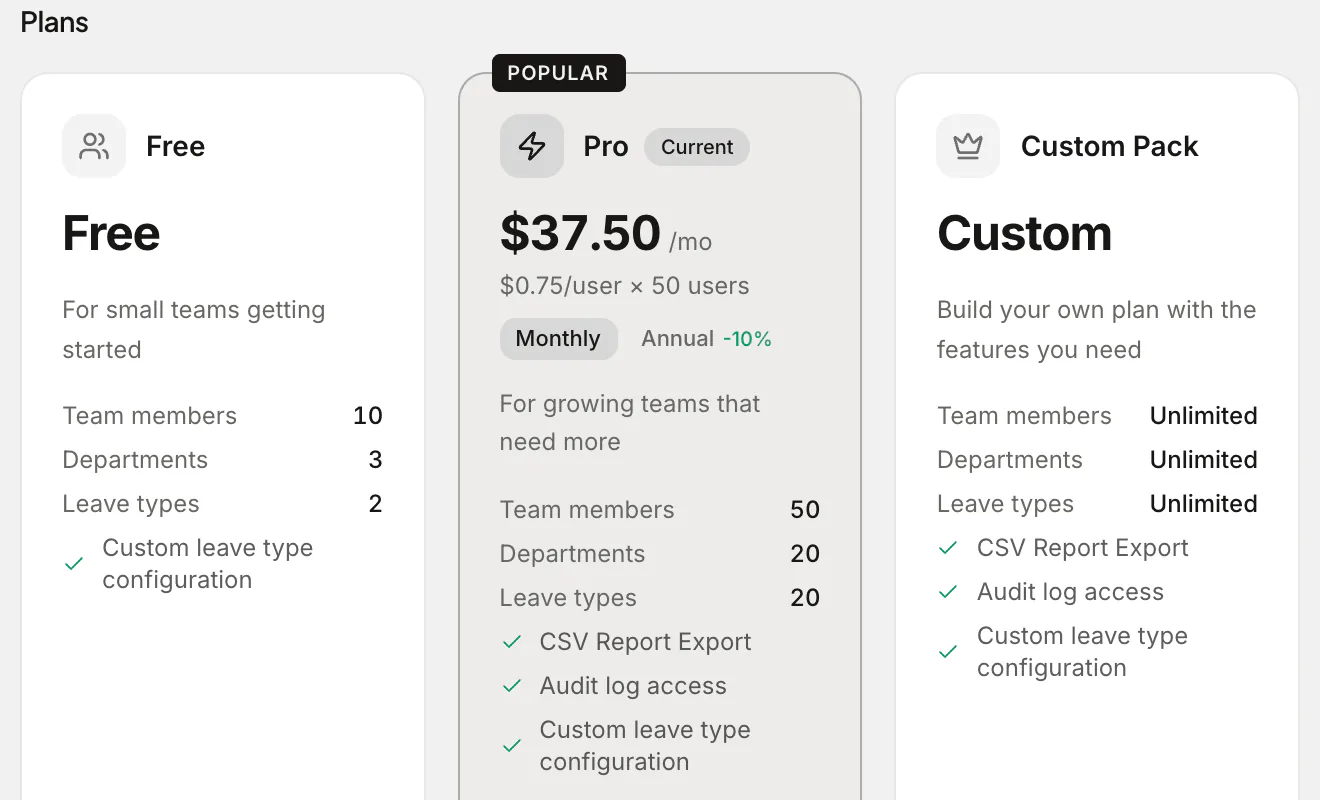
Some free plans give you "vacation" and nothing else. No separate sick leave, no half-days. Lumping sick days into holiday allowance makes your balances and reports useless, so the minimum a free tier needs is vacation and sick leave kept apart. Absenca's free plan allows two leave types, which covers exactly that; parental, unpaid and personal leave as separate types come with Pro. Check the leave-type limit against the leave you actually need to track.
The trial-in-disguise
"Free" that expires in two weeks is a trial, full stop. Trials are genuinely useful for kicking the tyres, but they're not a plan you can run on. Read the small print: if there's an end date or a "free until," treat it as a trial.
The card-at-signup tell
A real free tier doesn't need your card. If a tool asks for payment details before you've added a single employee, the free plan is a funnel, not a product.
The hidden-essentials gate
The sneakiest one. The free plan technically exists, but the things that make a leave tracker worth using — automatic balance updates, approval routing, a shared team calendar, accruals and carry-over — are all gated behind a paid tier. You're left manually editing balances, which is just a spreadsheet with extra steps.
What "actually free" should include
A free PTO tracker earns the label if a small team can run their entire leave process on it without paying. Concretely, that means:
- Separate leave types — at least vacation and sick leave kept apart, plus half-days.
- Automatic balances that update the moment a request is approved.
- Approval workflows with a record of who approved what.
- A shared calendar so people can see who's off before booking.
- Public holidays for your country, applied to leave maths automatically.
- No card, no expiry — free that stays free at your headcount.
If a tool covers that list at zero cost, it's genuinely free. If it doesn't, the "free" is doing marketing work, not real work.
How the common options compare in 2026
Pricing and free tiers move around, so treat this as a snapshot: each competitor's free plan and price is cited from its own page with the date we checked it. Always check the vendor's current page before deciding.
| Tool | Free plan | After the free plan or trial |
|---|---|---|
| Spreadsheet | "Free" forever | Everything is manual; no approvals, no auto-balances, no holidays |
| Absenca | Free for up to 10 people and one office | Pro: $37.50 a month for up to 50 people and two offices |
| LeaveBoard | Up to 9 employees1 | $1.35 an employee a month from the 10th2 |
| absentify | Unlimited users; 2 departments, 1 admin, 1 allowance3 | $1 to $3.50 a user a month4 |
| Vacation Tracker | None; a 14-day trial5 | $2 or $4 a user a month, with a $50 or $100 minimum6 |
| Timetastic | None; a 30-day trial7 | $1.50 or $2.50 a user a month7 |
| Many HR suites | Often a trial, not a plan | The trial ends, then you pay suite prices |
To be fair about it: each of these makes a different trade-off, and the right one depends on your headcount, your offices and the chat tool you live in. We keep honest side-by-sides for LeaveBoard, absentify and Vacation Tracker. The general lesson holds regardless of which you pick: judge the free tier by what it lets you do, not by the word on the pricing page.
A quick test before you commit
Run any "free" tool through this in ten minutes:
- Can you sign up without a card?
- Does the free plan have an end date? (If yes, it's a trial.)
- Can you add more than one leave type?
- Does the free plan cover all your locations?
- Do balances update automatically on approval?
- Is there a shared calendar and approval routing on the free plan?
- Are public holidays for your country included?
If it passes all seven, you've found a real one. If it stumbles on two or three, you've found a funnel.
Where Absenca lands
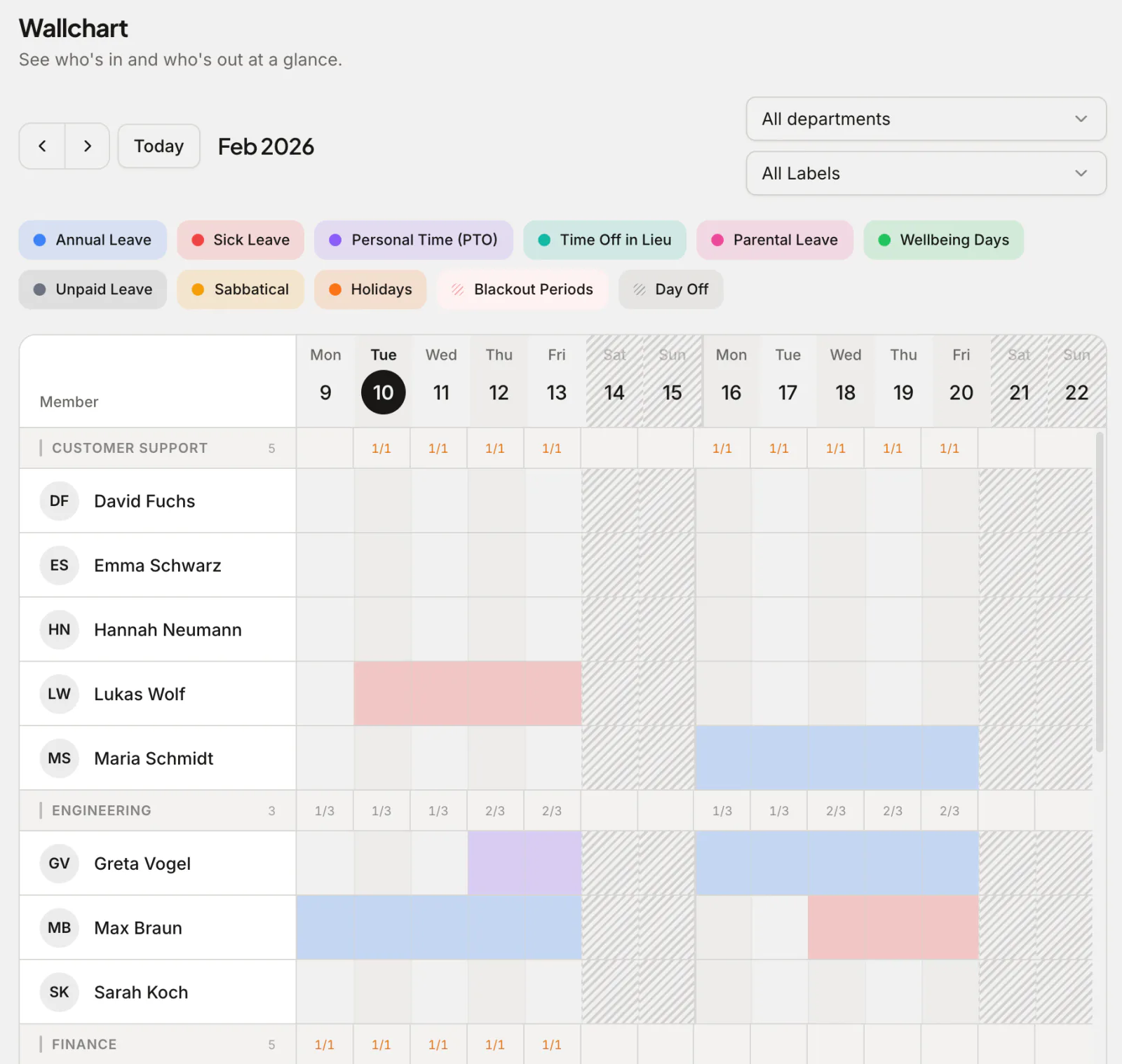
Absenca is free for up to 10 people — and that free tier is the real thing, not a stripped shell. You get two leave types (typically vacation and sick, with half-days), automatic balances, approval workflows, a team calendar and wallchart, and built-in public holidays for 190+ countries. No credit card, no countdown. The free plan covers one office, and the Slack bot is on Pro and the Custom Pack, not on the free Starter plan.
When you grow past 10 people or one office, Pro is $37.50 a month for up to 50 people and two offices, or $33.75 a month billed annually ($405 a year). Pro bills all 50 seats at $0.75 a month each whatever your headcount, so every team of 11 to 50 pays the same. The point is that the free plan is genuinely usable on its own, and growing out of it doesn't punish you.
Frequently asked questions
Is a free PTO tracker actually safe to rely on? Yes, if the free tier includes the essentials — auto balances, approvals, a calendar, holidays — rather than gating them. A real free plan lets a small team run their whole leave process indefinitely. The risk isn't "free"; it's "fake free" that quietly can't do the job.
What's the difference between a free trial and a free plan? A trial expires (commonly 14 days) and usually wants a card; it's for evaluating, not running on. A free plan has no end date. If you see "free until" or a countdown, it's a trial wearing a free label.
How many users can I track for free? It depends on the tool. Some cap by headcount, some by features. Absenca's free plan covers up to 10 people and one office, with the whole request-and-approve workflow; beyond that, Pro is $37.50 a month for up to 50 people.
What if I have more than one office? Check the free tier's location limit first — this is where a lot of "free" plans stop being free. If you're multi-site, you need a tool that handles per-location holidays, time zones and work weeks. Absenca's free plan covers one office; Pro covers two, each with its own holidays, time zone and work week, and more than two offices or 50 people takes a Custom Pack, configured and priced in the app before you pay.
Do I have to enter a card to start? Not for a genuinely free tier. Absenca doesn't ask for one. If a tool requires payment details before you've added anyone, treat the "free" with suspicion.
Want a PTO tracker whose free really is free? Start free with Absenca — free for up to 10 people, no credit card; Pro is $37.50 a month for up to 50. Still weighing options? See the free vacation tracker rundown.
Sources
- leaveboard.com/support/billing-and-subscription, checked
- leaveboard.com/pricing, checked
- absentify.com/docs/en/roles/hr_admins/settings/plan-feature-matrix, checked
- absentify.com/pricing, checked
- vacationtracker.io/knowledge-base/guide-what-are-the-differences-between-our-core-complete-plans, checked
- vacationtracker.io/knowledge-base/how-can-i-change-my-subscription-corecomplete-and-annualmonthly, checked
- timetastic.co.uk/pricing, checked