
Leave tracking, minus the spreadsheet
An annual leave tracker your whole team can see
Annual leave and every other leave type in one shared calendar, requested, approved and counted automatically. Not ready for an app? Start with the free Excel template.
Free for up to 10 people · 11 to 50 people: $37.50 a month on Pro
Annual leave tracker vs a spreadsheet template
A spreadsheet is a fine place to start, and our free Excel leave tracker template is there if that's all you need. These are the cases where a template starts to break, and what the tracker does instead:
| Case | Spreadsheet template | Absenca |
|---|---|---|
| Leave year that doesn't start in January | Formulas assume a calendar year; you rebuild the sheet | Each office sets the month its leave year starts |
| Mid-year joiners | Pro-rated by hand | Allowance pro-rated from the start date |
| Public holidays | Typed in each year, often for one country only | Loaded per office, so they never count as leave |
| Carry-over | Copied into next year's tab by hand | Rolled over at year end, up to each leave type's cap |
| Approvals | An email thread, then someone updates the sheet | Request, approve and update the balance in one step |
| History | Whoever edited a cell last | Every request and decision recorded with who made it |
An annual leave tracker puts every employee's leave — annual leave and every other leave type — in one shared calendar with approvals and automatic balances, so managers can see who's off, approve in seconds and trust the numbers. Tracking leave in a spreadsheet works right up until two people book the same week, a balance is wrong, or someone forgets to log a day.
Absenca handles annual leave, parental leave, unpaid leave and any custom type you add, with public holidays applied per office so leave is always counted correctly.
What you get
Who's off, at a glance
See who's off and who's available across the team, by department or office — no more chasing a spreadsheet tab.
Fast approvals
Requests route to the right manager, who approves in one click from the web, or from Slack on Pro.
Every leave type
Annual, sick, personal, parental, unpaid, TOIL and custom types — each with its own rules and allowance.
Public holidays built in
Holiday calendars for 190+ countries apply per office, so a week off over a holiday counts correctly.
One shared leave calendar
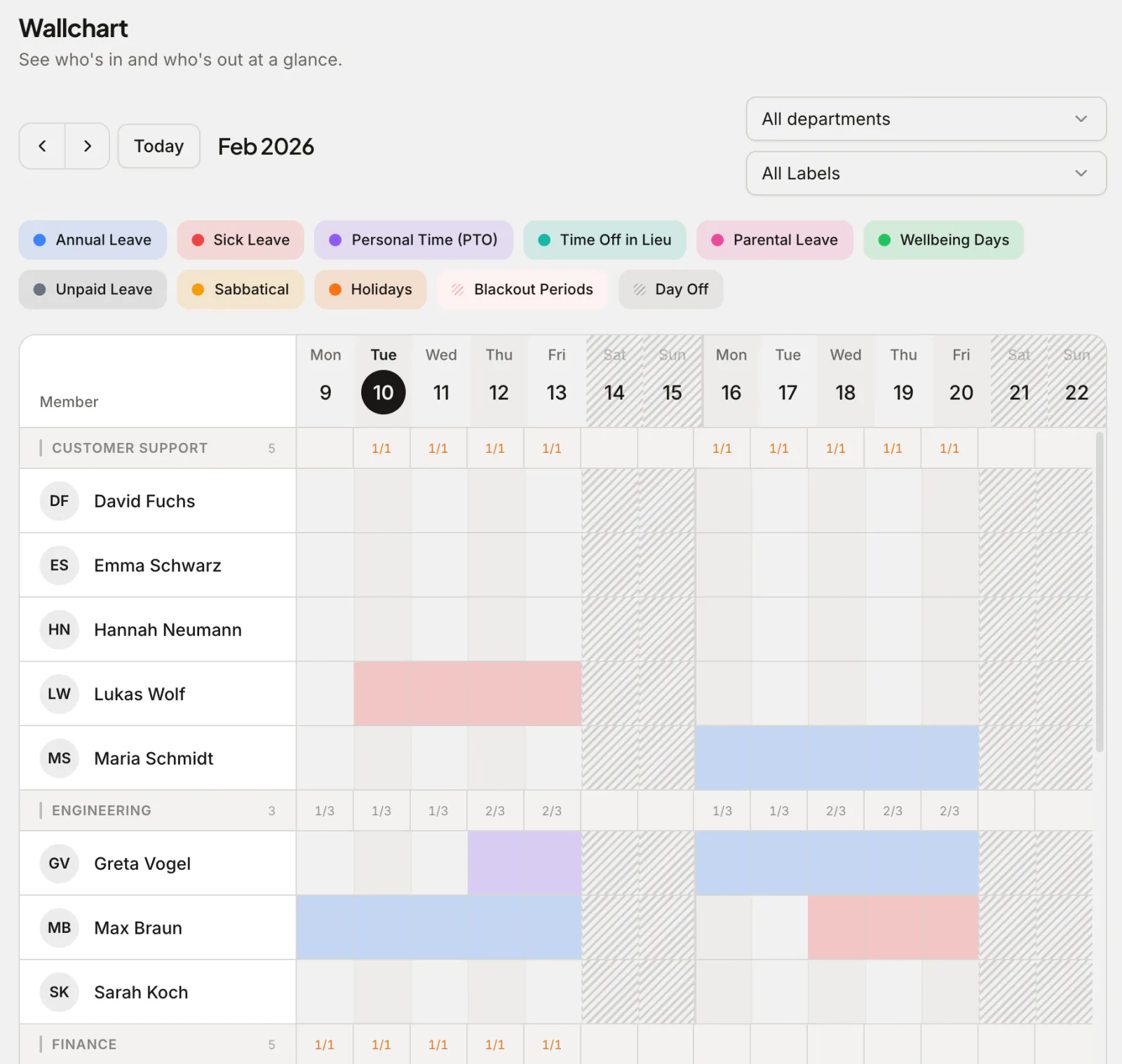
Everyone sees the same calendar: who's off today, who's away next week, and whose request is still waiting. Filter it by department or office when the whole company is too much, and switch to the wallchart to see a row per person across several weeks.
Because the calendar is built from the requests themselves, it's never out of date. Nobody has to copy an approved holiday into a second place, and a cancelled request disappears for everyone at once.
How balances are worked out
Greta Vogel works in NovaTech's UK office, whose leave year starts in April. She has 25 days of annual leave. She books Monday 6 to Wednesday 8 April 2026: three weekdays, but Monday 6 April is Easter Monday, a bank holiday in England. Absenca deducts 2 days, and her leave balance shows 23 left the moment her manager approves.
Each balance is the year's entitlement, plus any days carried over, minus what's booked, with weekends, the office's public holidays and anyone's part-time non-working days left out. Employees see that sum before they request, so nobody books leave they don't have.
From request to approved in seconds
An employee picks dates, sees their balance and the impact, and submits. The manager gets a notification and approves or declines with a tap. The calendar, the balance and everyone's view update instantly.
The wallchart shows who else is off before anyone books, and an optional limit on how many people in a department can be off at once refuses a request that would exceed it. Sick days and unplanned absence have their own home in the absence tracker.
Built for multiple offices
Each office can have its own work week, leave year, public holidays and policies, while you keep one organisation-wide view. It's the same tool whether you have one team or several locations across countries. In the UK? See the UK annual leave tracker for bank holidays and statutory entitlement.
Why teams choose Absenca
- Annual leave and every other leave type in one place
- One-click approvals from the web, or from Slack on Pro
- Real-time balances with accrual and carry-over
- Public holidays for 190+ countries, per office
- Free for up to 10 people; Pro is $37.50 a month for up to 50 people
Frequently asked questions
- What is an annual leave tracker?
- It's software that records and manages employees' leave — annual leave and every other leave type — handling requests, approvals, balances and public holidays in one place instead of a spreadsheet.
- Which leave types can I track?
- Annual leave, sick leave, personal, parental, unpaid, TOIL and any custom type you create — each with its own approval and accrual rules. The free plan includes 2 leave types and Pro up to 20.
- Can I import my existing leave spreadsheet?
- Yes. Import your people from a CSV file, then set each person's opening balance for the current leave year, so you can switch mid-year without starting from zero.
- Is the leave tracker free?
- Yes, for up to 10 people. Larger teams use Pro, at $37.50 a month for up to 50 people.