
The Best Way to Track PTO for a Small Team
For a small team, the best way to track PTO is a lightweight leave tool with a shared calendar, one-click approvals and real balances — not a spreadsheet and not a full HRIS. Here's how to choose.
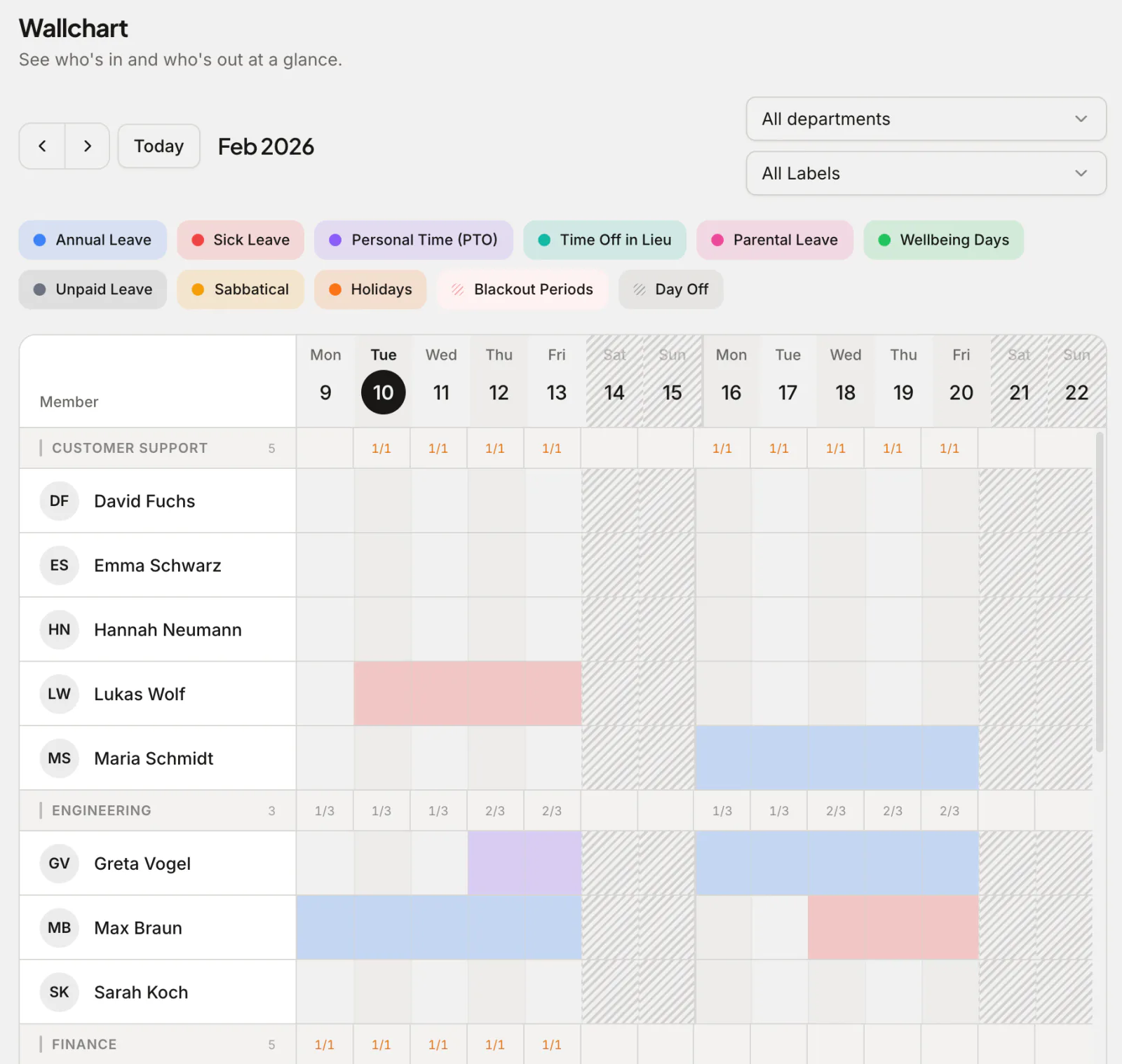
For a small team, the best way to track PTO is a lightweight, dedicated leave tool that gives you a shared calendar, one-click approvals and always-correct balances — not a spreadsheet (which drifts and has no approval trail) and not a full HRIS (which is overkill and overpriced for under 50 people). The right tool is cheap or free at your size, sets up in an afternoon, and lives where your team already works. Here's how to think about it.
Why the spreadsheet stops working
Almost every small team starts with a shared spreadsheet, and for the first handful of people it's fine. Then it isn't:
- Balances drift. The number in the cell is whatever someone last typed, not what the person has actually earned or used.
- No approval trail. "Did you approve my Friday?" has no reliable answer, and disputes come down to memory.
- Clashes slip through. Two of five people off in the same week can quietly break a launch.
- Holidays are manual. Public holidays, half-days and carry-over get calculated by hand — the errors always surface at year-end.
- It doesn't scale with hiring. Every new joiner makes the sheet more fragile.
A spreadsheet is a ledger with no rules. PTO needs rules. You can keep the simplicity while getting the rules back — that's what a small-team leave tool is for. If you want to start from a template while you decide, our Excel leave tracker is a reasonable stopgap.
Why a full HRIS is the wrong answer too
The opposite mistake is buying a big HR platform. For under ~50 people a full HRIS is expensive, slow to configure, and stuffed with payroll, recruiting and onboarding modules you won't touch for years. You end up paying enterprise prices to solve one problem: knowing who's off and how much leave they have left.
For most small teams, PTO is the only HR workflow that genuinely needs software today. Buy for that, not for a someday org chart.
What "best" actually means at small scale
The right small-team PTO tracker hits five things:
- A shared calendar / wallchart everyone can see at a glance — who's off this week, this month.
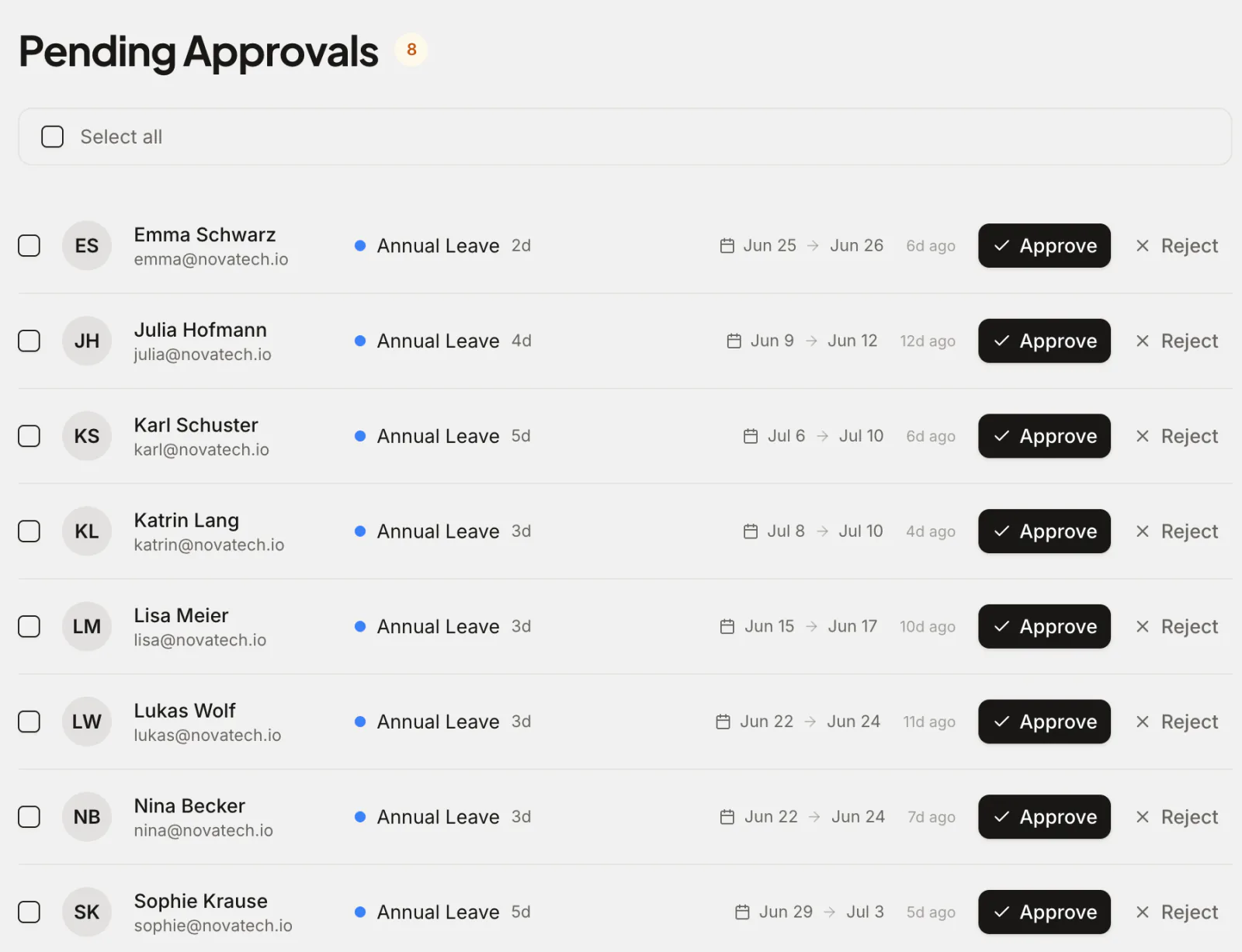
- Request-and-approve in one click, with a real record of who approved what and when.
- Automatic balances, including accruals, carry-over and half-days — so the numbers are right without anyone maintaining them.
- Public holidays built in for your countries (and multi-office if you're spread out).
- It lives where you work — Slack, your inbox and your calendar — so people don't have to remember a separate app.
A dedicated PTO tracker covers all five without the weight of an HRIS. Absenca is built exactly for this: shared leave calendar and wallchart, request/approve workflows, real-time balances, accruals, carry-over with caps and expiry, pro-rata, half-day (AM/PM) leave, blackout periods, public holidays for 190+ countries, and reports you can export. Google Calendar and Outlook sync come with the free plan, and the Slack bot comes with Pro, so approvals and who's-out checks happen inside your day.
The cost question (and the free option)
Price matters most at small scale, because you're often self-funding the tool. Two things to know:
First, check how a tool bills, not just its headline rate: some charge per user with a monthly minimum, and some put chat integrations on a higher tier. Vacation Tracker's Core plan costs $2 and Complete $4 per user per month, with monthly minimums of $50 and $100.1 Timetastic has a Slack integration on both plans and a Microsoft Teams integration on Pro, and lists no Google Chat integration.2 Work out what your actual headcount would be billed each month before you compare.
Second, you may not need to pay at all yet. Absenca is genuinely free for up to 10 people, with no credit card and no trial countdown: the leave calendar, approvals, balances, accruals, carry-over, public holidays, reports and calendar sync are all on the free Starter plan. That covers a lot of small teams outright. Above 10, Absenca's Pro plan is a flat $37.50 a month for up to 50 people, or $33.75 a month billed annually ($405 a year). Pro bills 50 seats at $0.75 a month each whatever your headcount, so a team of 11 pays the same as a team of 50, and it adds the Slack bot. If free-forever-at-your-size is the goal, start with the free vacation tracker; the full breakdown is on the pricing page.
A simple decision rule
- Under ~5 people, rarely off together: a spreadsheet or template still works — but move the moment you get a balance dispute.
- 5–10 people: a free, dedicated leave tool is the sweet spot — real rules at zero cost.
- 11–50 people: the same dedicated tool on a flat plan price (Absenca's Pro is $37.50 a month for up to 50 people) beats an HRIS for PTO alone.
- Payroll, recruiting, timesheets on the near horizon: that's when an HRIS conversation makes sense — but you can add it later without regretting the leave tool.
Common questions
Is a free PTO tracker actually good enough for a small business? Yes — for leave specifically, a free tool with approvals, balances, public holidays and calendar sync does everything a small team needs. Absenca's free Starter plan covers up to 10 people with all of those; the Slack bot and extras such as Bradford Factor analytics come with Pro.
Do we need one tool per office if we're spread across countries? No — a good tracker handles multiple offices, timezones and each country's public holidays in one place. In Absenca, the free plan covers one office, Pro covers two, and a Custom Pack covers more.
A quick legal note: statutory leave entitlements and record-keeping rules vary by country. Software helps you apply your policy consistently, but this is general guidance, not legal advice — check the rules in your jurisdiction.
Small team, no time to waste? Start free with Absenca — free for up to 10 people, then $37.50 a month for up to 50 on Pro, no credit card. See leave management for small business or the free vacation tracker.