
The Cheapest PTO & Vacation Tracker in 2026 (Honest Comparison)
An honest 2026 look at the cheapest PTO and vacation trackers: what each costs as your team grows, and where Absenca wins on price and where it doesn't.
"Cheapest" is a slippery word in software. A tool can have a low headline price and still cost you the most once you count the seat minimums, the gated features, and the annual-only billing. So before we rank anything: the cheapest PTO tracker isn't the one with the smallest number on the pricing page — it's the one that does the leave job properly for your headcount at the lowest real, monthly cost.
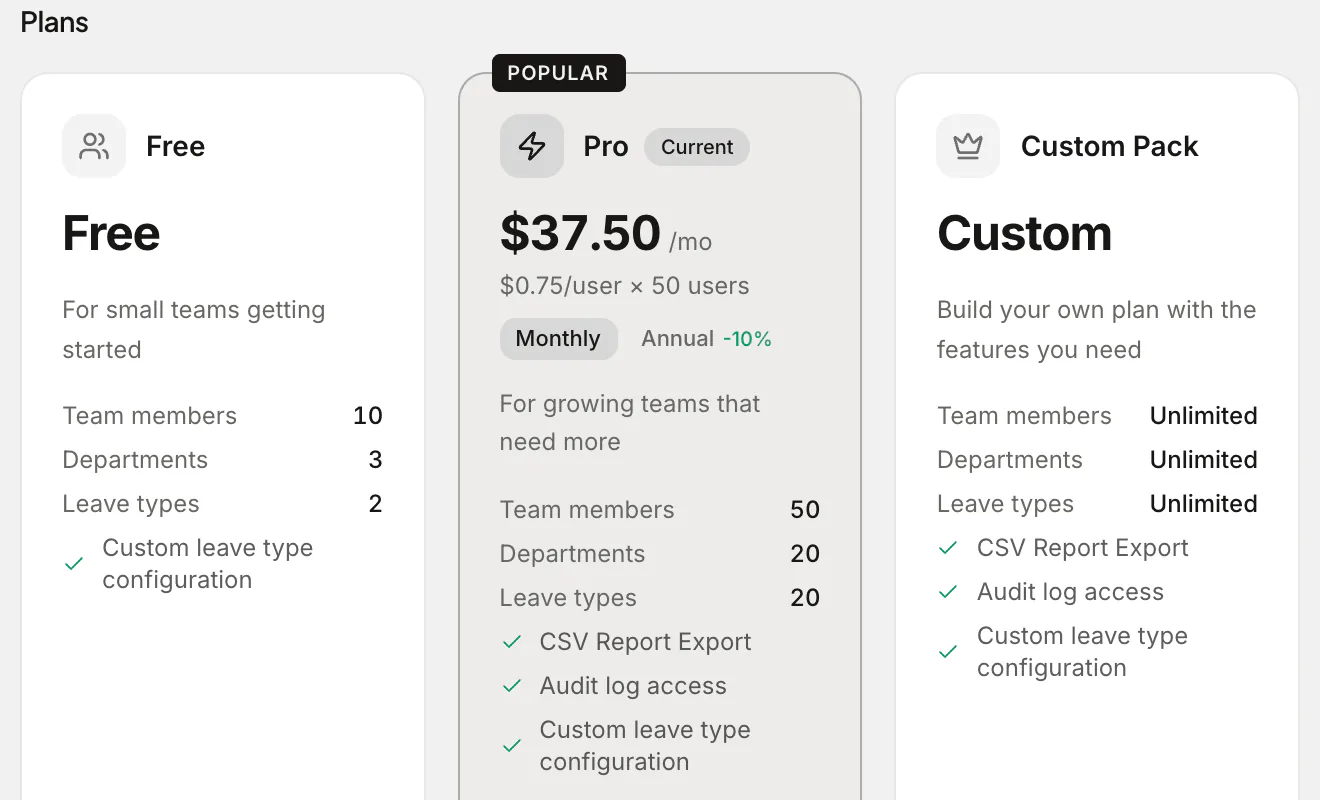
This is an honest look at the affordable end of the market as of 2026. We'll rank the options, show where each one genuinely wins, and be upfront about where Absenca's model (free for up to 10 people, then one flat Pro price for up to 50) beats the field — and where it doesn't.
How we're judging "cheap"
Four things decide the real cost, not just the sticker price:
- The free tier. Is it free forever for small teams, or a 14-day trial dressed up as free?
- The paid price once you're paying: per user or flat, and whether it's billed monthly or locked to annual.
- Seat minimums. A low per-user price with a 10-seat floor bills 10 seats even if you have three people.
- What's gated. If auto-balances, accruals, or a calendar live behind a higher tier, the cheap plan isn't really doing the job.
A quick caveat that applies to every price below: competitor pricing changes, and plans get renamed and repackaged. Each competitor fact here is cited from the vendor's own page with the date we checked it — check that page again before you decide.
The honest ranking
1. A real free tier (for teams of 10 or fewer)
If your team is small, the cheapest tracker is the one that charges you nothing while still tracking leave correctly. A few tools offer a genuine free-forever plan; the catch is usually a low user cap or stripped-down features.
This is the band Absenca's PTO tracker aims squarely at: free for up to 10 people, with the actual essentials included — auto-updating balances, accruals, approval routing, a team calendar, and public holidays — not held back for a paid upsell. For a team of eight, that's $0 a month done properly. Two other free plans are worth comparing here. LeaveBoard is free for up to 9 employees.1 absentify's free plan covers any number of users, with 2 departments, 1 administrator and 1 leave allowance.2 Not every well-known name has one, though. Vacation Tracker has no free plan: new workspaces get a 14-day trial of its paid plans.3
2. Low-cost paid plans (11 to 50 people)
Once you cross a free cap, the question is what the paid plan costs at your headcount. Absenca's answer is one flat price: Pro is $37.50 a month for up to 50 people, or $33.75 a month billed annually ($405 a year). Pro bills all 50 seats at $0.75 a month each, whatever your headcount, so a team of 11 pays the same $37.50 as a team of 50. Per-user tools work the other way round: they're cheapest for a small paid team and climb with every hire, and some add seat minimums that a small team pays in full.
3. Cheap-ish but bundled (HR suites with leave inside)
Full HR suites fold leave tracking into a broader platform. The leave module can be perfectly decent, but you're paying suite prices for recruitment, performance, and payroll features a small team may never switch on. BambooHR lists Core at $10, Pro at $17 and Elite at $25 per employee per month; companies of 25 employees or fewer pay a flat $250, $425 or $650 a month.4 Cheap per feature, expensive per seat if leave is all you need.
A worked cost comparison
Here's what the affordable end of the market charges, with each competitor's free plan and price cited from its own page.
| Option | Free plan | Paid price |
|---|---|---|
| Spreadsheet | "Free" | $0 + hours of admin (and errors) |
| Absenca | Free for up to 10 people | Pro: $37.50 a month for up to 50 people |
| absentify | Unlimited users; 2 departments, 1 admin, 1 allowance2 | $1 to $3.50 a user a month5 |
| LeaveBoard | Up to 9 employees1 | $1.35 an employee a month from the 10th6 |
| Leave Dates | None; a 30-day trial7 | $1.40 to $3.40 a user a month7 |
| Timetastic | None; a 30-day trial8 | $1.50 or $2.50 a user a month8 |
| Vacation Tracker | None; a 14-day trial3 | $2 or $4 a user a month, with a $50 or $100 minimum9 |
| BambooHR (HR suite) | None4 | $10 to $25 an employee a month; from $250 flat up to 25 people4 |
Which is cheapest depends on headcount, because a per-user bill climbs with every hire while Pro stays at $37.50 a month up to 50 people. Against the lowest per-user prices, the order flips more than once. Absenca costs less than absentify's Mini plan for teams of 10 and 50 people; absentify costs less for teams of 20 and 30 people.5 Absenca costs less than Timetastic's Business plan for teams of 10, 30 and 50 people; Timetastic costs less for a team of 20.8 Against a monthly minimum, it doesn't. Absenca costs less than Vacation Tracker's Core plan for teams of 10, 20, 30 and 50 people.9 Each has a full side-by-side: absentify, Timetastic, Vacation Tracker.
The pattern holds: at small-to-mid headcount, a focused leave tool is the cheapest accurate option, and a free plan up to 10 people plus one flat price up to 50 is what keeps Absenca near the bottom of the bill as you grow.
Rule of thumb: don't buy an HR suite to solve a leave problem. Buy a leave tool that does leave well and leaves the rest alone.
Where Absenca wins on price — and where it doesn't
We'd rather you pick the right tool than the one with our logo on it, so here's the straight version.
Where Absenca is hard to beat:
- The free ceiling is high. Free for up to 10 people covers a lot of small teams entirely. Many rivals have no free plan at all, and the free plans that exist cap headcount lower or limit the setup.
- The paid price is flat. Pro is $37.50 a month for any team of 11 to 50 people, so hiring up to 50 doesn't raise the bill, and there's no credit card to start.
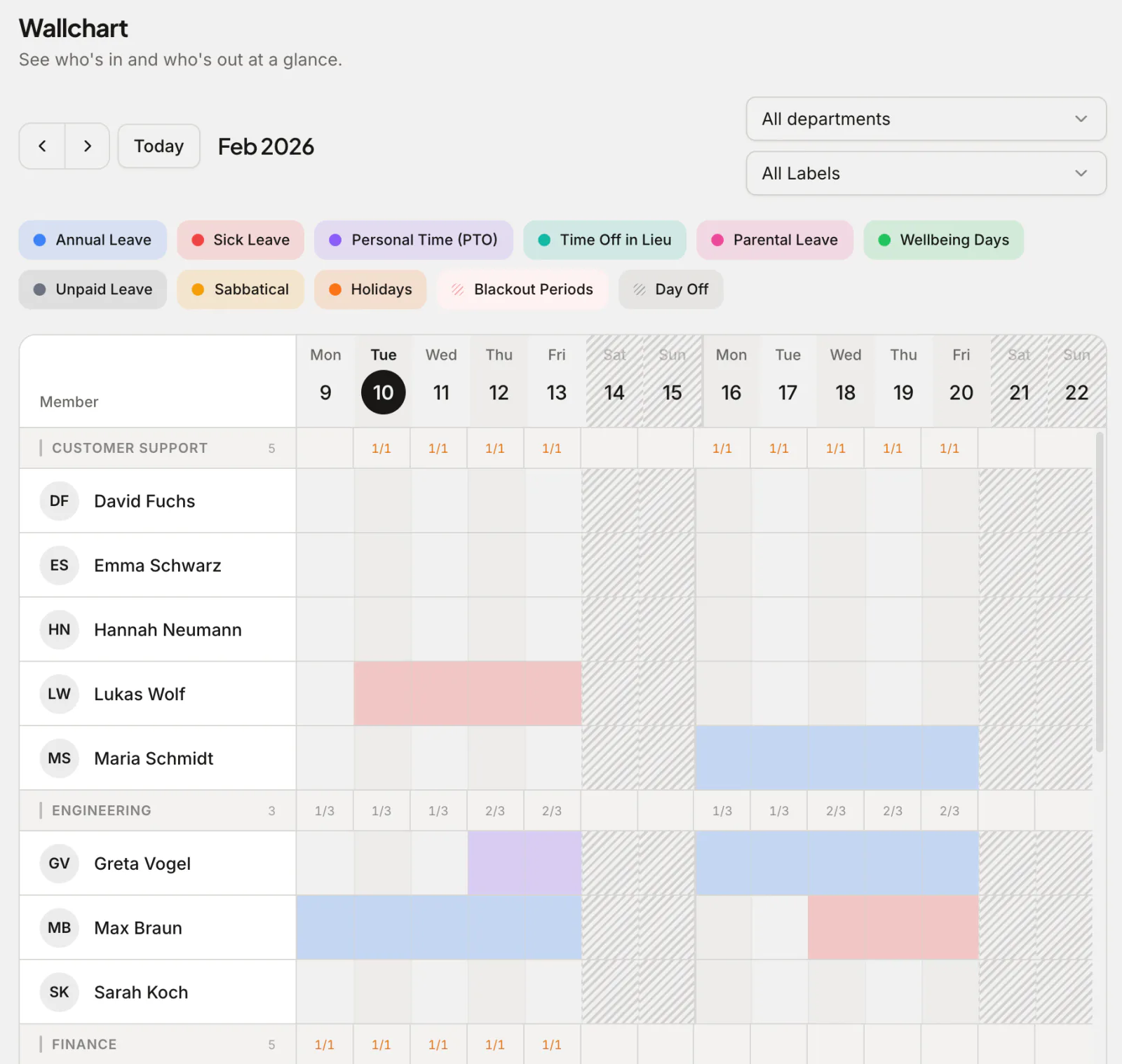
- The essentials aren't upsold. Auto-balances, accruals, carry-over, approvals, a team calendar and wallchart, and public holidays for 190+ countries are on the free plan, not a premium add-on.
Where Absenca is not the answer:
- You're just past 10 people and price is all that matters. Pro bills a flat 50 seats, so for a small paid team some per-user tools cost less, as the comparison above shows.
- You need a full HRIS. Absenca tracks leave and absence well. It is not payroll, not time-and-attendance or clock-in, and not a recruitment or performance platform. If you need those in one system, a suite — at suite prices — is the honest choice.
- You want a single vendor for everything HR. Some teams genuinely prefer one bill and one login across hiring, reviews, payroll, and leave. That's a fair reason to pay more; a focused tool won't give you that breadth.
- Your leave rules are exotic enough to need bespoke logic. Absenca handles accrual, pro-rata, seniority tiers, carry-over, TOIL, blackout periods, and half-day/hourly leave — but if you need something truly custom-coded, evaluate carefully.
If leave is the pain point, the focused tool wins on cost. If leave is one of ten problems, the maths can flip.
Don't forget the spreadsheet's hidden cost
The spreadsheet looks free because the cost never lands on an invoice — it's paid in admin time, balance disputes, and the day two people book the same week and you find out late. For a stable team of three or four with fixed allowances and one location, a sheet limps along. Add part-timers, accruals, a second country, or more than a handful of people, and a tool that's free up to 10 people, or $37.50 a month on Pro up to 50, is cheaper than the hours you'll spend reconciling it.
Frequently asked questions
What's genuinely the cheapest PTO tracker in 2026? For a team of 10 or fewer, a real free-forever plan is the cheapest — $0 if it includes the essentials. Above that, it depends on headcount: per-user tools cost least for a small paid team, while a flat price such as Absenca's Pro, $37.50 a month for up to 50 people, wins as the team grows. The "cheapest" headline price often hides seat minimums or gated features, so check the real monthly total.
Is free PTO software actually any good? It can be, if the free tier is forever (not a trial) and includes auto-balances, accruals, approvals, and a calendar rather than gating them. The thing to verify is whether the essentials are free or just the bait for an upsell.
When is Absenca cheaper than other trackers? Up to 10 people it's free. From 11 to 50 people, Pro is a flat $37.50 a month, so per-user tools can cost less for a small paid team and more as it grows; the comparison above shows where the lines cross. Above 50 people or 2 offices, a Custom Pack is configured and priced in the app before you pay.
When should I pay more than the cheapest option? When you genuinely need HRIS breadth — payroll, recruitment, performance, time-and-attendance — in one system. Absenca deliberately doesn't do those, so if they're requirements, a pricier suite is the right call. If leave is the problem, paying suite prices is overspending.
Are these competitor prices reliable? Each one is cited from the vendor's own page with the date we checked it, but vendors change plans often. Always confirm on the vendor's own page before deciding.
Want the cheapest accurate option without a budget meeting? Start free with Absenca — free for up to 10 people, no credit card; Pro is $37.50 a month for up to 50. First step: import your team from a spreadsheet in minutes.
Sources
- leaveboard.com/support/billing-and-subscription, checked
- absentify.com/docs/en/roles/hr_admins/settings/plan-feature-matrix, checked
- vacationtracker.io/knowledge-base/guide-what-are-the-differences-between-our-core-complete-plans, checked
- bamboohr.com/pricing, checked
- absentify.com/pricing, checked
- leaveboard.com/pricing, checked
- leavedates.com/pricing-plans, checked
- timetastic.co.uk/pricing, checked
- vacationtracker.io/knowledge-base/how-can-i-change-my-subscription-corecomplete-and-annualmonthly, checked