
How to Track Time Off When Your Team Uses Google Chat
Three ways to track time off when your team uses Google Chat: a manual space, Calendar out-of-office, or a leave system alongside it. What each costs.
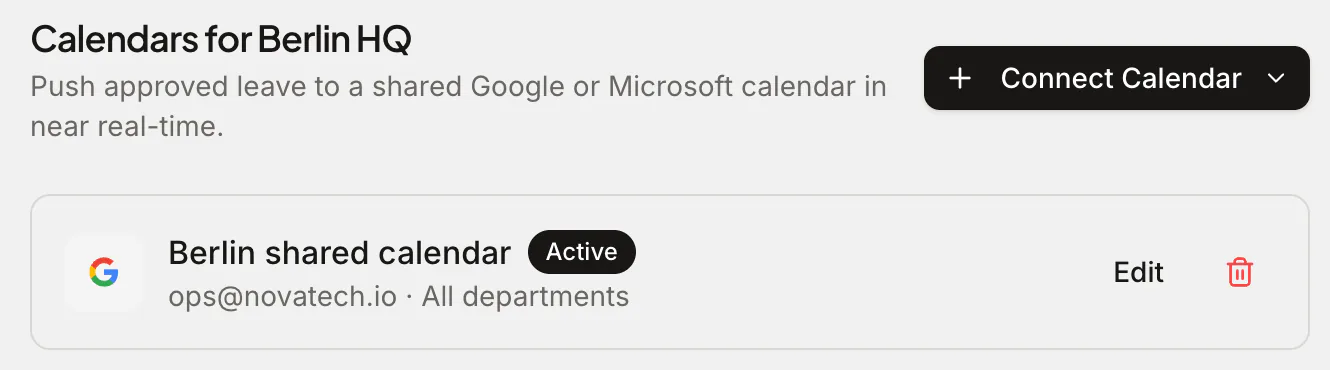
If your company runs on Google Workspace, your team's day happens in Gmail, Google Calendar and Google Chat. So when someone needs a Friday off, the natural move is to say so in Chat — and the unnatural move is to open a separate HR tool, remember another password, and fill in a form. This is why time-off tracking quietly fails in Workspace companies: the tools live apart from the accounts, inboxes and calendars people already use.
Slack teams have had leave bots for years. Google Chat teams have mostly been told to use a spreadsheet. There's a better answer: pair Chat with a real leave system that plugs into the rest of Workspace, where people sign in with Google and request time off in its web app, the email notification takes the right manager to their approval queue, approved leave lands in Google Calendar, and balances and public holidays stay correct automatically. Here are the three realistic options and where each one breaks (pricing and behaviour described as of 2026).
Option 1: A #time-off space (free, until it isn't)
The zero-software version: create a space called #time-off, have people post "off next Thursday–Friday", and let a manager thumbs-up it. Add a shared Google Sheet if you want a ledger.
It costs nothing and needs no setup, but it fails the same way it fails everywhere else:
- No balances. Nobody knows how many days anyone has left — the Sheet says whatever it was last edited to say.
- No real approvals. An emoji is not an audit trail. "Who approved this?" has no answer three months later.
- No clash detection. Two teammates booking the same week is discovered when it hurts.
- No public holidays. Cross-office holiday maths is done by hand, badly.
- Scroll-away memory. Spaces move on; the record of who's off next month is buried under this week's messages.
For a team of three with generous goodwill, it limps along. Past ten people it's a liability with a chat interface.
Option 2: Google Calendar out-of-office events
Google Workspace's built-in answer: everyone creates an Out of office event in Google Calendar, and colleagues see it when scheduling. Chat even shows a small out-of-office hint on profiles in some setups.
This is visibility, not management. It's genuinely useful — meetings auto-decline, and the team calendar shows gaps — but:
- It tracks that someone is away, not how much leave they have left or whether it was approved.
- There's no request/approve step at all — anyone can mark any days.
- There are no leave types (vacation vs. sick vs. parental), no accrual, no carry-over, no reports for payroll.
Calendar out-of-office is the right output of a leave process. It just isn't the process. (We covered the calendar side in depth in How to track time off in Google Calendar.)
Option 3: A leave system alongside Google Chat
The third option keeps Chat for conversation and runs time off in a real leave system alongside it, one that plugs into the Workspace tools your team already uses: people sign in with their Google account, the email notification takes managers to their approval queue, and approved leave appears in Google Calendar. The system keeps balances, accruals and holidays correct, and since nobody needs a new password or a separate calendar, it's the option that both stays used and stays accurate.
Leave bots that live inside Google Chat itself are thin on the ground, as the chat integrations of two established leave tools show. A Vacation Tracker workspace connects to one platform at a time, Slack, Microsoft Teams, Google Workspace or email, and there's no Google Chat bot.1 Timetastic has a Slack integration on both plans and a Microsoft Teams integration on Pro, and lists no Google Chat integration.2 So for a Workspace company, what matters is how well a leave system fits around Chat: your sign-in, your inbox and your calendar.
Here's how that works in Absenca:
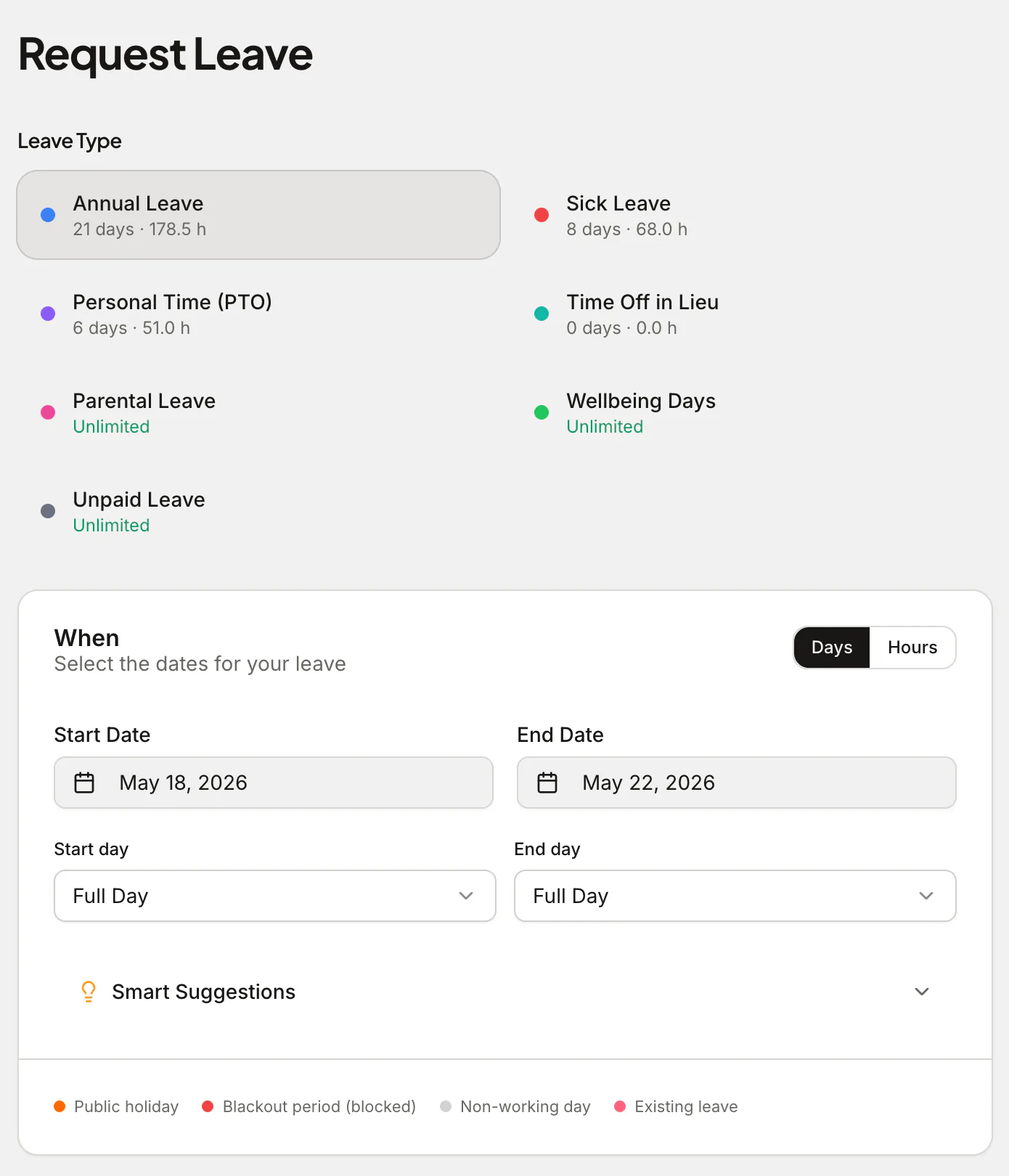
- Request in the web app — people pick the leave type and dates, see their live remaining balance and submit in Absenca's web app (or from Slack, if your company also uses it). Half-days (AM/PM) and multiple leave types (vacation, sick, parental) included.
- Approve from anywhere — the right manager gets an email for each request that links to the approval queue in the web app, where one click approves it, from any device.
- See who's out — the shared leave calendar and wallchart show who's away today and this week, so nobody has to ask in a space.
- A real system underneath — automatic balances, accrual schedules, carry-over caps and expiry, pro-rata for joiners and part-timers, TOIL, blackout periods, public holidays for 190+ countries, multi-office support and exportable reports.
- Fits the rest of Workspace — sign in with Google, and approved leave syncs to Google Calendar, so option 2's visibility happens automatically, as the output of a real process.
Absenca is free for up to 10 people (no credit card, no trial countdown), with requests, approvals, balances, public holidays and Google Calendar sync in the web app. Pro is $37.50 a month for up to 50 people, or $33.75 a month billed annually ($405 a year). If part of your company also works in Slack, the Slack bot comes with Pro. See pricing for the full picture.
Which one should you pick?
- You're 3–5 people and rarely away at the same time: the manual space is fine. Revisit when the first balance dispute happens.
- You only need visibility, and trust everyone to self-report: Calendar out-of-office events cover you.
- You want requests, approvals and balances that are actually correct, with approved leave showing in Google Calendar: you want a leave system alongside Chat.
Is there a free leave tracker for companies on Google Chat? Yes. Absenca's free Starter plan covers up to 10 people, with requests, approvals, balances and public holidays in the web app and approved leave on Google Calendar; it works alongside Google Chat rather than inside it. Above 10 people, Pro is $37.50 a month for up to 50 people.
Can people request leave from inside Google Chat? Not with Absenca, which doesn't run inside Google Chat. People request leave in its web app (or in Slack, if your company also uses it), and managers approve there, from a link in the email notification.
Do people need another login? No. They sign in to the web app with their existing Google account — no new password to set or forget.
A quick legal note: statutory leave entitlements and record-keeping rules vary by country. Software helps you apply your policy consistently, but this is general guidance, not legal advice — check the rules in your jurisdiction.
Run on Google Workspace? Start free with Absenca — free for up to 10 people, no credit card, with Google sign-in and Google Calendar sync. See how Absenca fits Google Workspace, the Google Calendar sync in detail, or pricing.