
Why Your Leave System Needs an Audit Log (and What It Should Record)
"Who approved this?" and "who changed my balance?" need answers you can trust. Here's what a leave audit log should record, how long to keep it, and how it settles disputes in minutes.
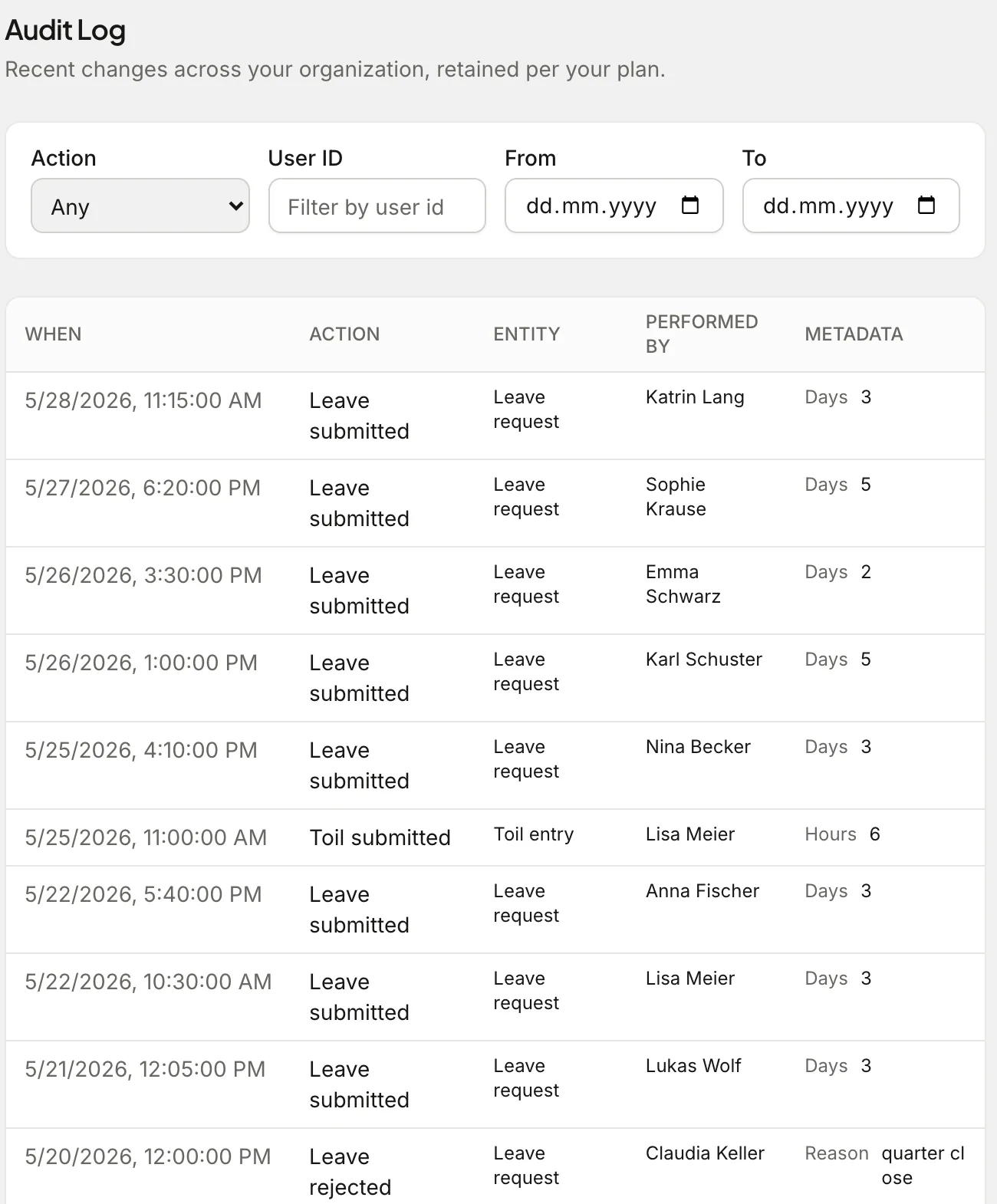
For the first year of a small company, leave disputes are rare and easy: everybody remembers what happened. Then the team grows, approvals spread across several managers, someone adjusts a balance to fix an error, and six months later an employee asks why they have two days fewer than they thought.
Without a record, that conversation runs on memory, and memory is a bad witness. An audit log turns it into a two-minute lookup.
What an audit log is for
An audit log is a timestamped list of every meaningful change: what happened, to which record, who did it and when. It isn't for watching people. It's for answering questions with evidence:
- "I never cancelled that request." When was it cancelled, and by whom?
- "My balance was 18 last month." Which adjustment changed it, and what was the reason?
- "Who approved three people from Support for the same week?"
- "When did we change the carry-over cap?"
It also matters at the edges of employment: a leaver's final holiday pay, a dispute that reaches a tribunal, or an auditor asking how leave is approved.
What Absenca's audit log records
On Pro, the audit log under Settings → Audit Log records:
- Leave requests: submitted, approved, rejected, cancelled, revised, deleted and expired
- TOIL: claims submitted, approved, rejected, cancelled and imported in bulk
- Balance adjustments, with the reason given
- People changes: role, department and office changes; members deactivated, reactivated or removed; invitations accepted; profile updates
- Organisation changes: settings changes, data exports, bulk imports, and erasure requests carried out
You can filter by action, by person, and by date range, so "everything that happened to Lisa's leave in March" is one filter away.
Who can see it
Only organisation admins. The log contains decisions about every person in the company, so it's deliberately not open to managers or location-admins. Admins on Slack can also pull the latest entries with /absenca audit.
How long to keep it
Absenca keeps audit entries for 365 days on Pro and deletes older entries automatically. A year covers a full leave cycle, including carry-over at the year boundary, which is where most disputes come from.
There's one exception: balance adjustments are kept beyond the year, because they're part of the employee's balance history. Delete them and the balance stops adding up.
If your sector needs a longer history, the Custom Pack's audit log isn't capped at a year.
Good habits that make the log useful
An audit log records what people do, so a few habits make it far more useful:
- Always give a reason when adjusting a balance. "Correcting carry-over after policy change" is worth more than an unexplained +2.
- Approve as yourself. Shared admin logins make the "who" meaningless.
- Change policies at the start of a leave year where you can, and note why. The log shows when the change happened; your note shows why.
- Check the log before replying to a balance query. It usually answers the question in one line.
Free plan, Pro, and the honest trade-off
The free plan doesn't include the audit log. For a team of a few people with one approver, that's usually fine: there's one person to ask. Once you have several approvers, managers adjusting balances, or an obligation to show how leave decisions are made, the log is the cheapest insurance you can buy: Pro is $37.50 a month for up to 50 people, with the audit log, Slack, reports and forecasting included.
Frequently asked questions
Which plan includes the audit log? Pro and the Custom Pack.
Can entries be edited or deleted? No. Entries are written by the system when something happens, and removed only when they pass the retention period.
Does it record who viewed a record? No, it records changes, not views. It's a history of decisions, not a surveillance tool.