
Leave Management for Slack and Microsoft Teams: The Options Compared
Slack and Teams leave options compared: a manual channel, chat-first bots and full leave apps with chat bots. What each does, what it costs, and how to choose.
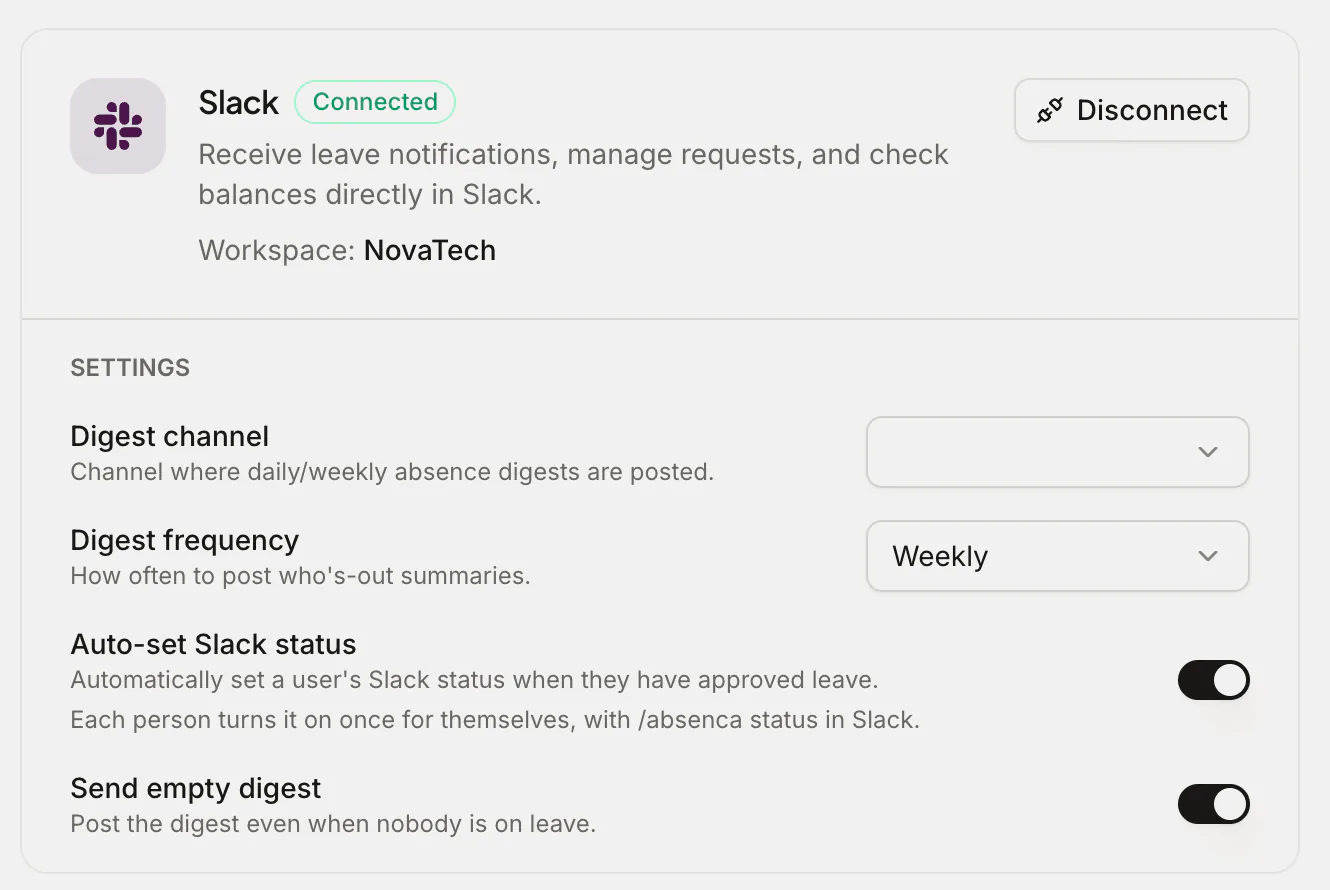
If your team lives in Slack or Microsoft Teams all day, it's natural to want leave to live there too. Booking a day off shouldn't mean opening a separate tool, and a manager shouldn't have to leave a conversation to approve it. The question is how to do leave in chat — and the answer ranges from a quick poll in a channel to a full leave system with a bot bolted on.
This post walks through the realistic options for both platforms, what each one actually does, and roughly what they cost (as of 2026). The short version: chat is a great front door for leave, but it works best when something solid is keeping the books behind it.
The three ways to do leave in chat
Whatever tool you pick, it falls into one of three buckets.
- Do it manually in chat. A channel, a thread, maybe an emoji to "approve." No software beyond Slack or Teams itself.
- A chat-first leave bot. A lightweight app whose home is the chat platform — you request and approve without leaving it, and it keeps a basic ledger.
- A full leave app with a chat bot on top. A proper leave system — balances, accruals, calendars, holidays, reports — that also lets people handle leave from Slack or Teams.
Most teams start at option 1, feel the pain, and jump to 2 or 3. The trick is knowing which of those last two you actually need.
Option 1: The manual channel (free, until it isn't)
Both Slack and Teams can run a barebones leave process with zero extra software. People post "off Thursday" in a #timeoff channel, a manager reacts with a thumbs-up, and that's the approval. Teams users sometimes lean on a Shifts or a shared calendar; Slack teams sometimes use a workflow or a status emoji.
It's free and everyone already knows how to use it. But it breaks in predictable ways:
- No balances. Nothing tracks how many days each person has left, so disputes are inevitable.
- No accrual or pro-rata. Mid-year joiners and part-timers get worked out by hand, if at all.
- No real record. Threads scroll away; "who approved this?" has no reliable answer.
- No clash detection. Two people booking the same week is something you find out about late.
- No public holidays. Holiday maths is manual, and worse if you span countries.
For a stable team of three or four with simple allowances, this limps along. Past that, it quietly stops being trustworthy — the same way the "Holidays 2026" spreadsheet does.
Option 2: Chat-first leave bots
These are apps built to live inside Slack or Teams. You request leave with a slash command or a button, the request pings the approver right there, and the bot keeps a running balance. Some post a daily "who's off today" summary into a channel, which teams genuinely love.
This is a big step up from the manual channel. One established name worth knowing for comparison is Vacation Tracker. A Vacation Tracker workspace connects to one platform at a time, Slack, Microsoft Teams, Google Workspace or email, and there's no Google Chat bot.1 Vacation Tracker has no free plan: new workspaces get a 14-day trial of its paid plans.2 Vacation Tracker's Core plan costs $2 and Complete $4 per user per month, with monthly minimums of $50 and $100.3 If a focused in-chat experience is all you want, it's a fair shortlist candidate.
The trade-off with chat-first tools is that the chat is the product. The richer parts of a leave year — seniority-based accrual tiers, TOIL, blackout periods, scheduled reports, attachments like doctor's notes, multi-office leave years across timezones — vary from product to product and plan to plan, so check that the ones you need are on the plan you'd buy. A bot optimised for "book a day in two taps" isn't always trying to be an HR-grade leave engine.
Option 3: A full leave app with a chat bot
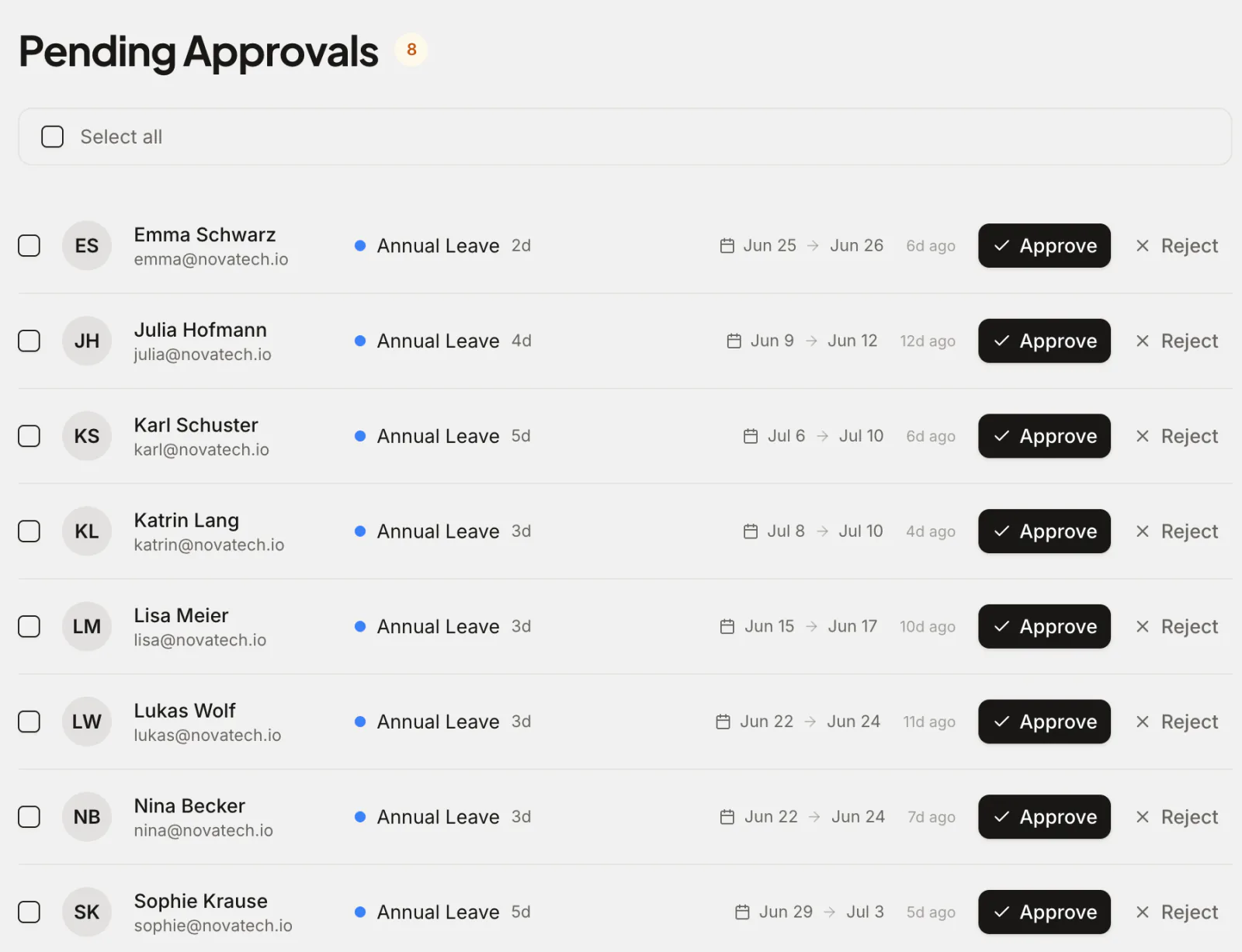
The third option gives you both: a complete leave platform you can manage in a browser, plus bots so day-to-day leave happens in chat. Approvals, balances and who's-out checks stay in chat; admins who need accruals, reports and a shared wallchart get the full app.
This is where Absenca sits for Slack teams: its Slack bot lets people request leave, approve it and see who's off without leaving Slack. On Microsoft Teams, Absenca works alongside Teams rather than inside it: people sign in to the web app with their Microsoft account and request leave there, managers approve in the web app, which the email notification links to, and approved leave lands in their Outlook calendar. Behind all of it sits the whole leave system: automatic balances, accrual (monthly, quarterly and more), carry-over caps and expiry, pro-rata, seniority tiers, TOIL, blackout periods, public holidays for 190+ countries, multi-office support and exportable reports. You also get calendar sync (Google and Outlook/Microsoft 365) so time off shows up where people already look.
The Slack bot comes with Pro, as does Bradford Factor analytics. The free Starter plan covers balances, approvals, accruals, carry-over, TOIL, public holidays and calendar sync in the web app.
The point isn't "more features wins." It's that you don't have to choose between in-chat convenience and a leave system that holds up — you can have the bot front door and the real ledger behind it.
Side-by-side comparison
A rough map of the three approaches (as of 2026):
| What you need | Manual channel | Chat-first bot | Full app + chat bot (e.g. Absenca) |
|---|---|---|---|
| Request/approve in Slack or Teams | Sort of | Yes | Slack: yes; Teams: no (the web app instead, with email notifications) |
| Automatic balances | No | Yes | Yes |
| Accrual, pro-rata, carry-over | No | Varies by plan | Full |
| Public holidays per country | No | Varies | Yes (190+) |
| Shared calendar / wallchart | No | Varies | Yes |
| Reports (CSV/XLSX/PDF) | No | Varies | Yes |
| Multi-office / timezones | No | Varies | Yes |
| Manage outside chat (web app) | No | Varies | Yes |
Treat the chat-first column as a general guide — exact capabilities differ by product and plan, so check current docs before you commit.
What it costs
Leave tools price per user, per plan, or per user with a monthly minimum, so compare what your team would actually be billed.
| Option | What it costs |
|---|---|
| Manual channel | Nothing on the invoice, plus admin time and the odd dispute |
| Vacation Tracker | $2 or $4 a user a month, with a $50 or $100 minimum3 |
| Absenca | Free for up to 10 people; Pro is $37.50 a month for up to 50 people |
Absenca is free for up to 10 people (a real free plan, not a trial — no credit card). Pro, which adds the Slack bot, is $37.50 a month for up to 50 people, or $33.75 a month billed annually ($405 a year). Pro bills 50 seats at $0.75 a month each whatever your headcount, so a team of 11 pays the same $37.50 as a team of 50. Above 50 people or 2 offices, you configure a Custom Pack and see its price in the app before you pay. Absenca costs less than Vacation Tracker's Core plan for teams of 10, 20, 30 and 50 people.3 See pricing for the full breakdown.
How to choose
A simple way to decide:
- Tiny, simple, stable team? The manual channel might be fine a little longer. Switch the moment you have a balance dispute or a missed clash.
- You want everything to happen in chat and your leave rules are simple? A chat-first bot is a clean fit.
- You want chat convenience but real accruals, holidays, multi-office and reports? A full app with a chat bot is the safer long-term call; Absenca's Pro, which includes the Slack bot, is $37.50 a month for up to 50 people.
- Your company runs on Microsoft Teams? Use a full leave app alongside Teams: with Absenca, people sign in with Microsoft, managers approve in the web app from a link in the email notification, and approved leave lands in Outlook, free for up to 10 people.
Frequently asked questions
Can people request leave without leaving Slack or Teams? In Slack, yes — chat-first bots and full apps with a Slack bot (like Absenca) let people request and approve right inside Slack. In Teams it depends on the tool. Absenca doesn't run inside Teams: Teams users request leave in its web app, and managers approve there, from a link in the email notification. The difference is what's keeping the books behind the scenes.
Do I have to use the chat bot for everything? No. With a full app, the bot is one of several front doors. Employees can use chat while admins manage policies, accruals and reports in the web app — whichever suits each person.
Does this work if half my team is on Slack and half on Teams? Yes, as long as both halves feed the same leave records. With Absenca, Slack users request and approve in Slack, while Teams users request in the web app and approve there, from a link in the email notification, and everyone shares the same balances, calendar and reports. Separate tools for each half would split your records in two.
Is a free leave tool actually good enough? A genuine free tier can run a whole small team's leave at zero cost. Check the essentials are included free — auto balances, approvals, a calendar, public holidays — rather than gated behind a paid plan. Absenca's free Starter plan covers up to 10 people with those basics included; the Slack bot comes with Pro.
A quick legal note: statutory leave entitlements and record-keeping rules vary by country. Software helps you apply your policy consistently, but this is general guidance, not legal advice — check the rules in your jurisdiction.
Want leave in chat without giving up a real leave system? Start free with Absenca — free for up to 10 people, no credit card, with the Slack bot on Pro. See Slack leave tracking and how Absenca fits Microsoft 365, or compare Absenca vs Vacation Tracker.
Sources
- vacationtracker.io/knowledge-base/guide-which-vacation-tracker-integration-is-right-for-me-google-microsoft-teams-slack-or-email-only, checked
- vacationtracker.io/knowledge-base/guide-what-are-the-differences-between-our-core-complete-plans, checked
- vacationtracker.io/knowledge-base/how-can-i-change-my-subscription-corecomplete-and-annualmonthly, checked