
Moving From a Free Leave Plan to Pro: What Changes and What Doesn't
What actually happens when you upgrade your leave management from free to Pro: no migration, the same data, a fixed monthly price, and a safe way back down if you ever need it.
The worst part of outgrowing a free tool is usually the switch. You picture a weekend of exporting, re-importing and re-checking balances, and you put it off for another quarter.
Moving from Absenca's free plan to Pro isn't a migration. It's the same account, the same people and the same history, with higher limits and more features switched on. Here's exactly what changes, what doesn't, and what happens if you ever want to go back.
What doesn't change
- Your data. Every person, balance, request, approval, holiday calendar and policy stays exactly as it is. Nothing is exported or re-imported.
- Your setup. Leave types, accrual rules, carry-over caps, blackout periods and departments carry over untouched.
- Your people's experience. Nobody gets a new login or a new link. The app looks the same; some new options simply appear.
What changes
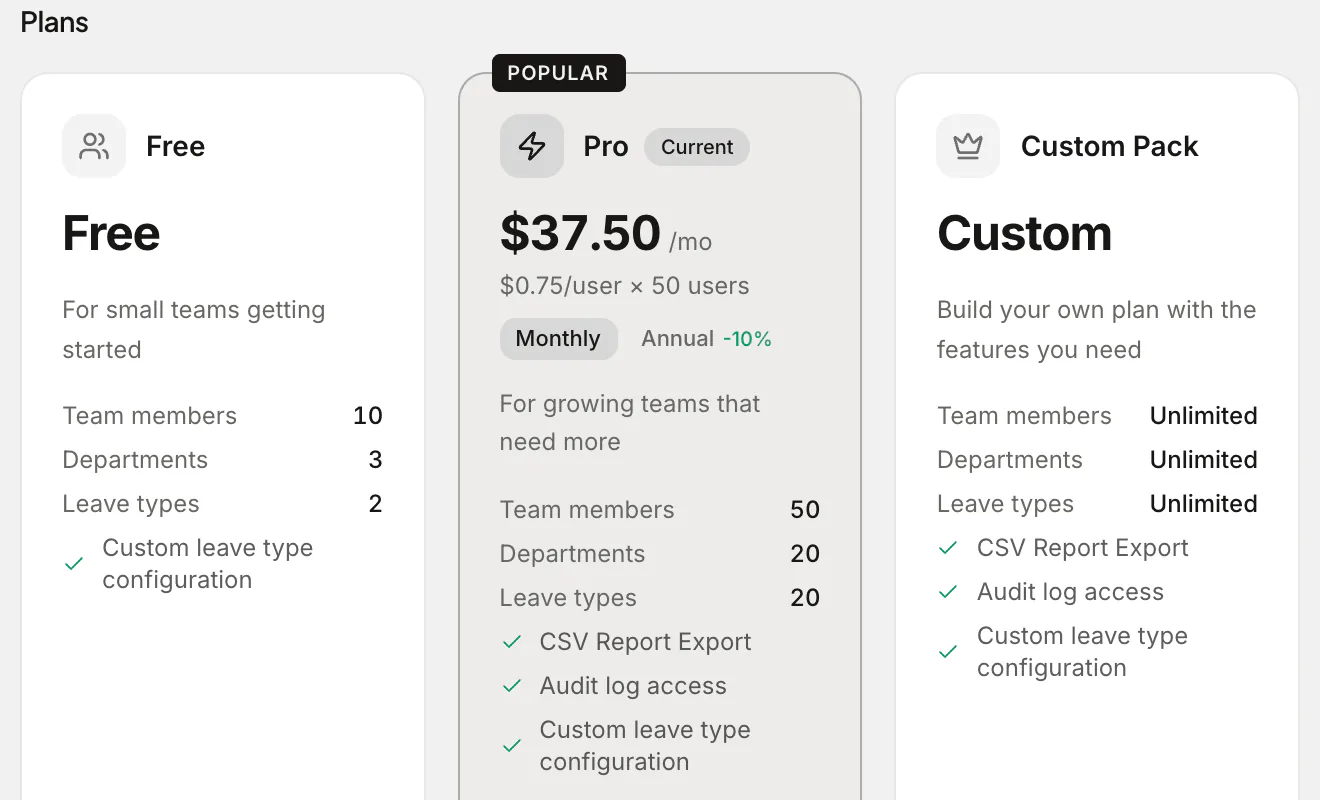
The limits go up. The free plan covers 10 people, one office, three departments and two leave types. Pro covers up to 50 people, two offices, 20 departments and 20 leave types.
The paid features switch on. On Pro you get:
- The Slack bot: requests, approvals, balances and a who's-out digest inside Slack
- The audit log, with a year of history
- Bradford Factor reporting
- The absence forecast and the team energy score
- Scheduled email reports
- A shared office calendar in Google or Outlook
- Unlimited leave types (no allowance cap) for policies like unlimited PTO or wellbeing days
- Rotating work schedules
- The Vacation Tracker import wizard, if you're coming from there
Microsoft Teams and Google Chat bots are built and coming soon; when they're ready, they'll be part of Pro too.
How the price works
Pro is $37.50 a month for up to 50 people, or $33.75 a month billed annually ($405 a year, 10% off). It's billed as 50 seats at $0.75 a month each, whatever your headcount.
That flat price is the point. A team of 12 and a team of 48 pay the same, so you never have to think about whether a new hire "costs" you more on the leave tool, and finance gets the same invoice every month.
How to upgrade
- Go to Settings → Plan & Billing. Only an admin can see it.
- Under Plans, pick Pro and choose monthly or annual.
- Pay at checkout. The new limits and features apply as soon as payment goes through.
You can switch between monthly and annual billing later, and update your card or download invoices from the same page.
What to set up first
Once you're on Pro, a short list gets you most of the value in the first week:
- Connect Slack from Settings → Integrations, pick a channel for the who's-out digest, and tell the team about
/absenca balanceand/absenca leave. - Split out your leave types. If you squeezed everything into two types on the free plan, now's the time to separate sick, parental, unpaid and personal leave. Balances get more honest straight away.
- Schedule the Monday summary so managers start the week knowing who's out.
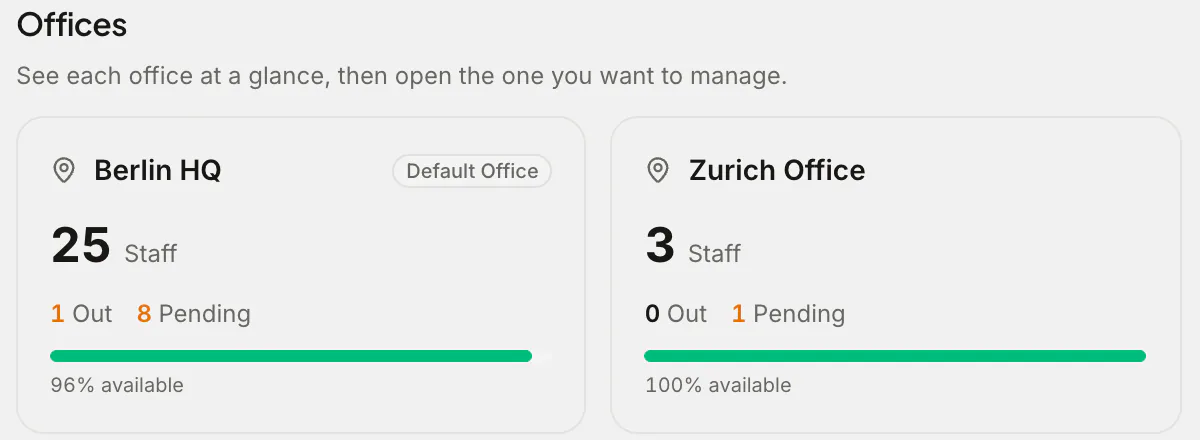
- Add your second office if you have one, with its own holidays and work week.
If you ever want to go back
You can cancel from the billing portal at any time. Pro keeps running until the end of the period you paid for, then a seven-day grace period follows with everything still on. After that, the account moves to the free plan.
Nothing is deleted. If you have more people, leave types or departments than the free limits, they stay. The limits only stop you creating new ones above the line. Your history, reports and balances remain.
If a renewal payment fails and the subscription lapses, the account goes read-only rather than losing data: everyone can still see their leave, and you can renew or switch to the free plan from the billing page.
Frequently asked questions
Is there a free trial of Pro? There's no time-limited trial. The free plan has no end date, so you can run Absenca on it for as long as it fits, and upgrade when you need Pro.
Do we pay more as we hire? Not between 1 and 50 people. Pro is a flat $37.50 a month for up to 50 people. Above 50, you configure a Custom Pack and see the price before paying.
Can we pay annually? Yes: $405 a year, which works out at $33.75 a month.