
Scheduled Leave Reports: A Monday Summary and Month-End Balances, by Email
Stop rebuilding the same leave reports by hand. Schedule a weekly who's-out summary and a monthly balance report by email, and send them to exactly the people who need them.
In most small companies, someone owns two recurring chores. On Monday morning they work out who's off this week and tell the managers. At the end of the month they export leave balances and send them to whoever runs payroll. Neither takes long. Both get forgotten when that person is on leave themselves.
Absenca's scheduled reports, included in Pro, turn both into emails that send themselves.
The two reports
Weekly summary. Sent on the weekday you choose, usually Monday. It covers:
- Headcount for the office
- Who's out this week, and when
- Requests still waiting for approval
- A breakdown by department
It's the "here's your week" email managers actually read, because it arrives before the first stand-up.
Monthly balance. Sent on the 1st of each month, in the office's own time zone, with every employee's leave balances as of the end of the previous month. It's the report payroll, finance or an outsourced HR provider usually asks for, delivered without anyone exporting a CSV.
Setting one up
Scheduled reports live in office settings, under Settings → Scheduled Reports. Admins and location-admins can create them.
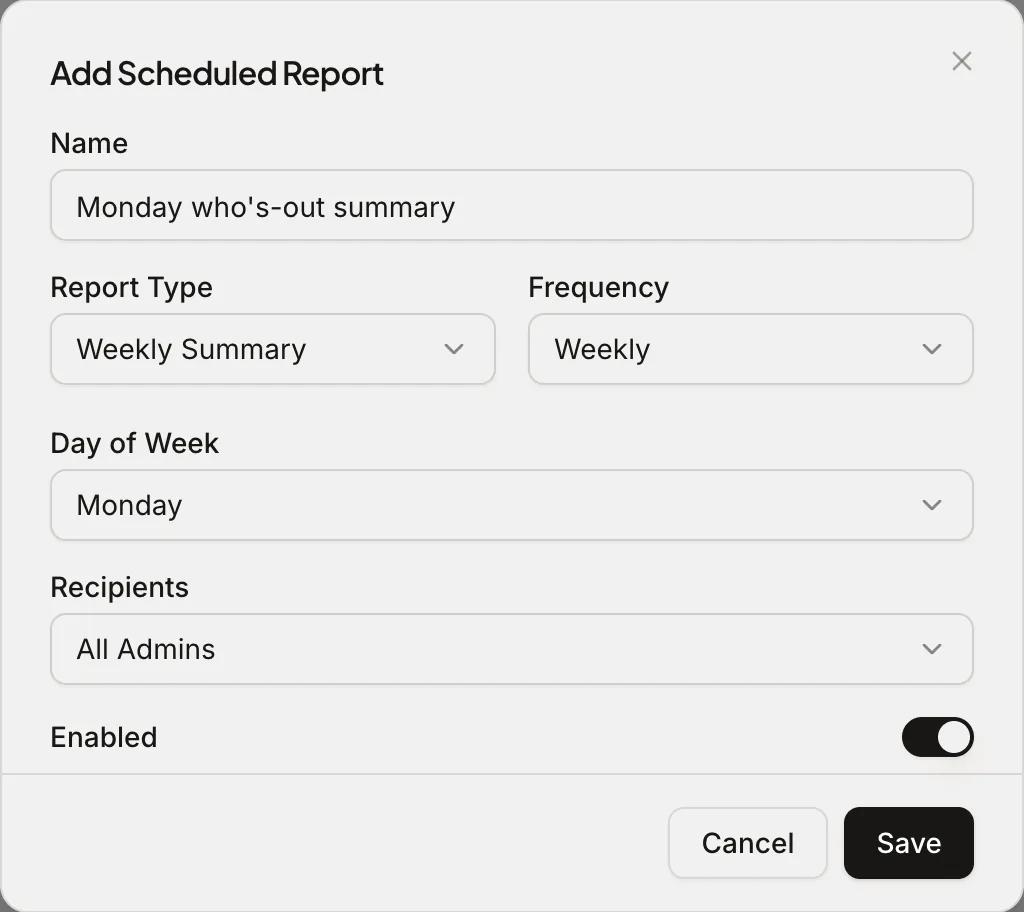
- Click Add Report and give it a name your recipients will recognise, like "Monday who's-out summary".
- Pick the report type and the frequency. For weekly reports, choose the day.
- Choose recipients: all admins (including location-admins), or specific people in your Absenca account.
- Leave it enabled and save.
Each report is scoped to an office, so a two-office company can send Berlin's summary to Berlin's managers and Zurich's to Zurich's. There's also a Send now button, which is handy for checking what a report looks like before the first scheduled run, or for re-sending one that someone deleted.
Who should get what
A pattern that works for most teams of 10 to 50:
| Report | Recipients | Why |
|---|---|---|
| Weekly summary | Managers + admins | Plan the week, chase pending approvals |
| Monthly balance | Admin + whoever runs payroll | Payroll accruals, holiday pay, leavers |
Recipients need to be members of your Absenca account. If payroll is handled by an outside provider, the simplest route is a person on your side who receives the monthly report and forwards it, so balances never go to an address you don't control.
Why email, not another dashboard
Dashboards are great when you remember to look at them. Reports that arrive in the inbox get read by the people who'd never log in to check, which is most managers, most weeks. The point of a scheduled report is that the information reaches people at the moment they need it, whether or not they think to look.
If your team is on Slack, the who's-out digest does the daily version in a channel. Many teams use both: the digest for everyone, the weekly email for managers.
What's still on the free plan
Reports and CSV export themselves are on the free plan: you can open Reports, filter by department or person, and export whenever you like. Pro adds the scheduling, so it happens without you.
Frequently asked questions
Which plan includes scheduled reports? Pro ($37.50 a month for up to 50 people) and the Custom Pack.
Can I change the day or recipients later? Yes. Edit the report at any time, or switch it off without deleting it.
Does the monthly report include part-timers and new joiners? It includes every active employee's balances as Absenca calculates them, including pro-rated allowances for part-timers and mid-year joiners.