
Free for up to 10 people
An employee absence tracker for sickness and unplanned time off
Track sick leave and every kind of absence in one place — with doctor's-note attachments, Bradford Factor scoring and the analytics HR actually needs. Free for up to 10 people; Bradford Factor scoring is on Pro and the Custom Pack, not on the free Starter plan.
Free for up to 10 people · 11 to 50 people: $37.50 a month on Pro
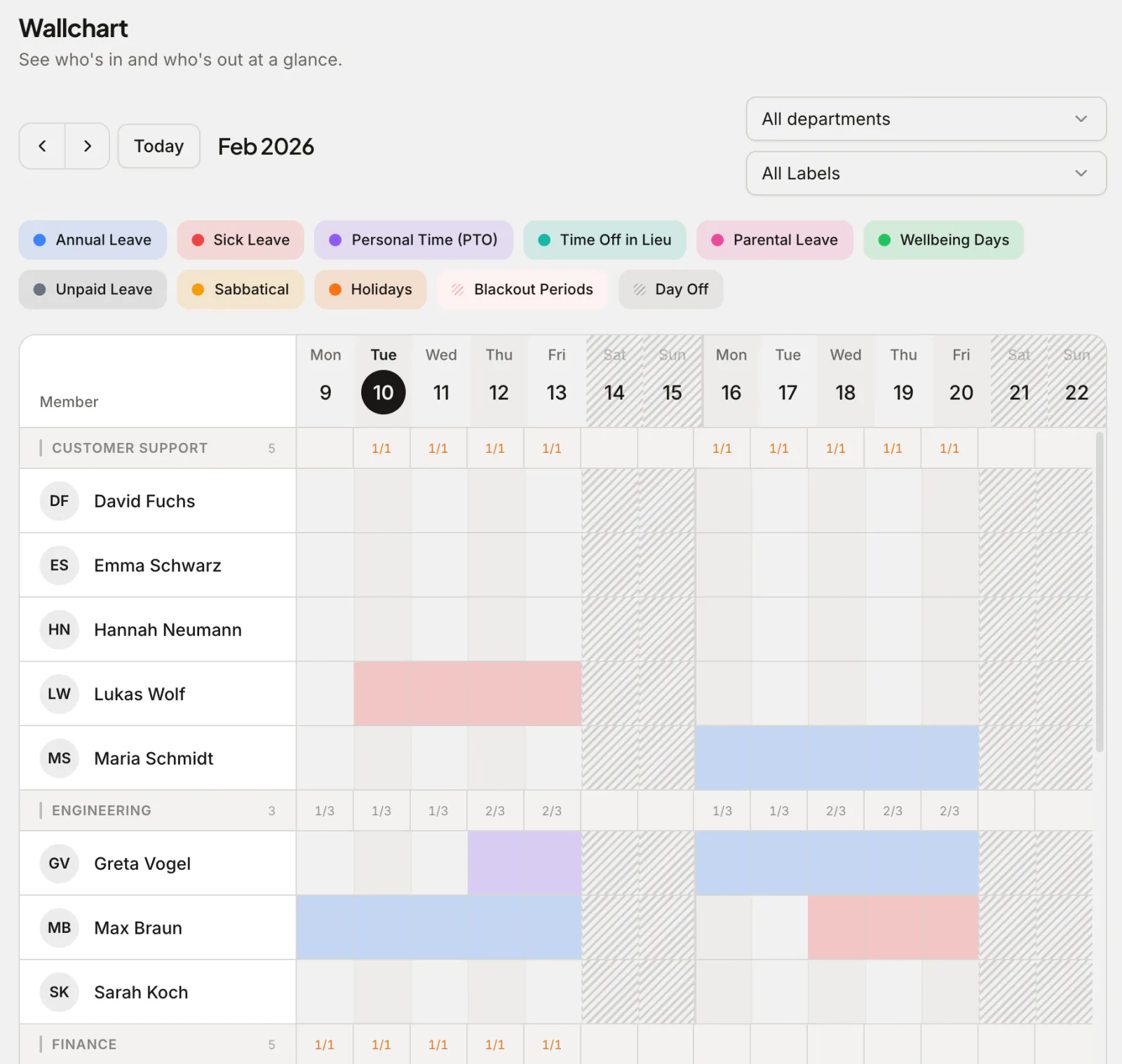
A leave planner tells you who booked a holiday. An absence tracker tells you what's really happening with attendance — the recurring Monday sick days, the patterns that quietly cost a team, the people heading for burnout. Absenca is both: a shared leave calendar and a proper absence management system, so you approve time off and understand absence in the same tool.
It's built for whoever owns attendance — an HR lead, ops manager or founder — who needs accurate records, fair process and a defensible audit trail without buying a whole HRIS. Absenca is free for up to 10 people. Pro is $37.50 a month for up to 50 people, or $33.75 a month billed annually ($405 a year).
What you get
Every absence type, tracked
Sick leave, unpaid leave, appointments, parental leave and custom types — full-day, half-day or hourly — not just annual holiday.
Bradford Factor analytics
Absenca scores absence patterns automatically with the Bradford Factor, surfacing frequent short-term absence that a simple day-counter misses.
Records and audit trail
Capture reasons, attach a doctor's note to a request, and keep a complete, audit-logged absence history per employee — the record HR needs if a pattern or balance is ever questioned.
Patterns, not just totals
Team energy and burnout signals plus utilisation trends show who's over-absent and who's quietly over-working, with CSV, XLSX and PDF exports.
Sick leave tracking, done properly
Sickness is recorded like any other leave type, with the rules sickness needs. A sick leave type can ask for a reason, require a doctor's note attached to the request, and accept half days or hours for an appointment or a morning off. Retroactive requests are allowed by default, so a sick day can be logged once the person is back.
Who sees what is set per leave type. Mark sick leave private and, in Absenca's calendar and team views, only the employee, their approvers and administrators see its name; everyone else sees the person as "Away". Channel digests, calendar feeds, shared team calendars, reports and out-of-office replies still show the type for now. Health information is special-category data in many jurisdictions, so keep notes to what you need and check the rules where your people work.
Bradford Factor, worked through
The Bradford Factor scores absence as S × S × D: the number of separate spells squared, times the total days absent. Two NovaTech employees each missed 6 days this year. Greta Vogel was off for six working days in a row with flu; Felix Hartmann was off on six separate single days. Absences no more than a day apart count as one spell.
| Employee | Spells (S) | Days (D) | Score (S × S × D) |
|---|---|---|---|
| Greta Vogel | 1 | 6 | 1 × 1 × 6 = 6 (low) |
| Felix Hartmann | 6 | 6 | 6 × 6 × 6 = 216 (high) |
What the score is for
Same days off, a score 36 times higher: that is the point of the Bradford Factor, which surfaces frequent short absences that disrupt cover. Treat it as a signal to start a conversation, not a verdict. There may be a health condition or caring duty behind the pattern. Absenca calculates scores and bands for the leave types you choose; see Bradford Factor software for how it works, which is on Pro and the Custom Pack, not on the free Starter plan, or score a pattern yourself with the free Bradford Factor calculator.
Absence tracking vs. leave tracking
Leave tracking is about planning — requests, approvals, balances. Absence management is about understanding what actually happens, including unplanned sick days, and handling it fairly. Absenca covers both in one place, so you're not running a holiday planner alongside a separate absence spreadsheet. Unplanned absence drives absenteeism costs.
That matters because unplanned absence is where the real cost and the real compliance risk sit. A tool that only counts booked holidays leaves you blind to the patterns that affect cover, payroll and wellbeing.
Fair, consistent, and on the record
Absenca applies the same rules to everyone — accruals, entitlements, blackout periods and approval routing — and logs every action. When you need to have a conversation about attendance, you have an objective record and a Bradford Factor score rather than a hunch.
Sensitive sick-leave data stays in a proper system with role-based access, not a shared spreadsheet everyone can read. Managers see their team, admins see the organisation, and employees see their own record. Writing the rules down first? Start from our sick leave policy template.
Absence management without an HRIS
You don't need a full HR platform just to manage absence well. Absenca is the dedicated absence layer: quick to set up, self-serve, and priced for it: free for up to 10 people, then $37.50 a month for up to 50 people on Pro. It runs alongside any HR system you already use.
How small-team absence tools compare
Most leave tools for small teams charge per user per month, and a free plan is the exception. Here is what five of them offer, each linked to the page we checked it on. Leave management software pricing compares more tools and what teams of 10 to 50 people pay each month.
| Tool | Free plan | Price |
|---|---|---|
| Absenca | Up to 10 people, with no time limit | $37.50 a month for up to 50 people |
| Timetastic | None; a 30-day trial1 | $1.50 or $2.50 a user a month1 |
| Vacation Tracker | None; a 14-day trial2 | $2 or $4 a user a month, with a $50 or $100 minimum3 |
| Leaveboard | Up to 9 employees4 | $1.35 an employee a month from the 10th5 |
| Day Off | Up to 10 users6 | $2 a seat a month, $20 minimum6 |
Why teams choose Absenca
- Tracks sick leave and every absence type — not just holiday
- Bradford Factor scoring and burnout/energy analytics built in
- Doctor's-note attachments and a full audit-logged absence history
- Private leave types hide sickness from colleagues in Absenca's calendar and team views
- Free for up to 10 people; Pro is $37.50 a month for up to 50 people
- Built for GDPR, with roles that keep absence data private
Frequently asked questions
- What is an absence tracker?
- An absence tracker records and manages employee absences — sick leave, unpaid leave and other time away — in one place, so HR and managers can see who's off, spot patterns, keep accurate records and apply absence policy fairly. Absenca does this alongside leave and holiday booking.
- What's the difference between an absence tracker and a leave tracker?
- A leave tracker focuses on planned time off — holiday requests, approvals, balances. An absence tracker also covers unplanned absence such as sickness, plus the analytics around it like the Bradford Factor. Absenca is both.
- Can Absenca track sick leave?
- Yes. Sick leave is its own leave type, with an optional reason and doctor's-note attachment, half-day and hourly booking, and retroactive requests. Mark it private and colleagues see only "Away" in Absenca's calendar and team views; channel digests, calendar feeds, shared team calendars, reports and out-of-office replies still show the type for now.
- Does Absenca calculate the Bradford Factor?
- Yes. Absenca scores each employee's absence pattern automatically using the Bradford Factor, which weights frequent short absences more heavily than occasional long ones — useful for spotting attendance issues early and fairly.
- How much does Absenca's absence management cost?
- Absenca is free for up to 10 people. Pro is $37.50 a month for up to 50 people, or $33.75 a month billed annually ($405 a year). Bradford Factor analytics and the audit log are on Pro and the Custom Pack, not on the free Starter plan.
- Is Absenca a full HRIS?
- No. Absenca is dedicated leave and absence management, not payroll, recruiting or a full HR platform. That focus is why it's cheaper and faster to roll out, and it works alongside any HR system you already use.
Sources
- timetastic.co.uk/pricing, checked
- vacationtracker.io/knowledge-base/guide-what-are-the-differences-between-our-core-complete-plans, checked
- vacationtracker.io/knowledge-base/how-can-i-change-my-subscription-corecomplete-and-annualmonthly, checked
- leaveboard.com/support/billing-and-subscription, checked
- leaveboard.com/pricing, checked
- day-off.app/pricing, checked